Every dollar of BigQuery spend, broken down
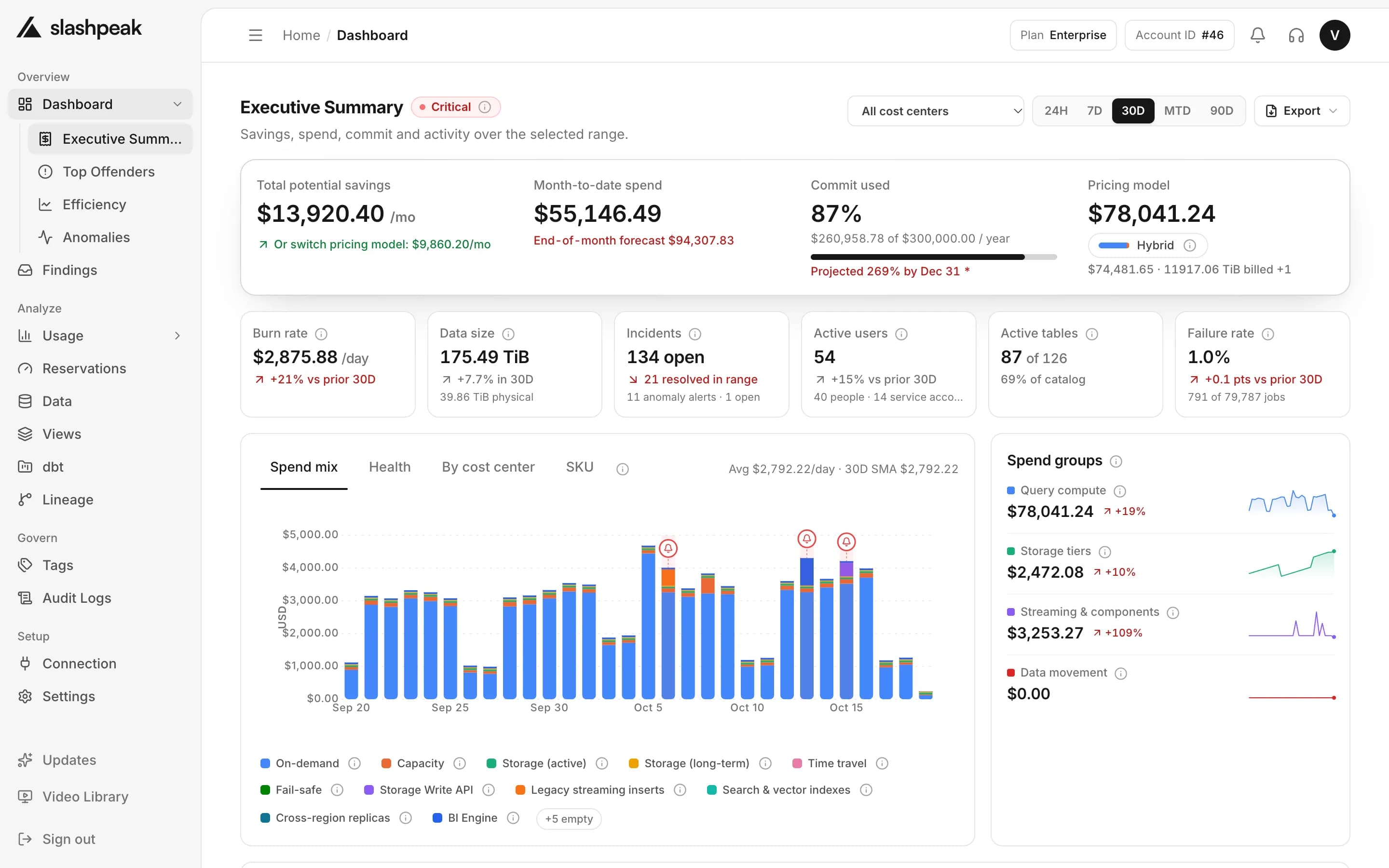
Spend by project, team, user, table, query and label — priced the way BigQuery actually bills you, and reconcilable with your billing export.
7 ways to slice spend
Project, team, user, table, query, label and tool.
Priced the way you're billed
On-demand, Editions capacity, or a hybrid of both.
Metadata only
Built from job and table metadata. We never read table contents.
Spend you can trust
Pricing-model aware totals, comparable with your billing export, broken into the categories that actually drive the number.
Spend this month
$84,213
One spend number for everyone — the same figure in the dashboard, the alerts and the monthly review.
- Account-timezone calendars
- Pricing-model aware
- Metadata-only access
Every project, side by side
Connect every BigQuery project and region, scanned automatically throughout the day, with filters and saved segments to slice it your way.
acme-analyticsPrimary
↳ BigQuery · US multi-region
acme-marketing
↳ BigQuery · EU multi-region
acme-ml-sandbox
↳ BigQuery · us-central1
Reading metadata for acme-ml-sandbox — no table data is accessed.
Anomalies, explained
We learn your normal pattern and flag the spikes — with the query or table behind them, delivered wherever your team already watches for alerts.
Daily spend · acme-analytics
Spend spike · +212%
Tue, 14:00 — $3,140 in one hour
Driven by a scheduled query re-reading events.raw_clicks without a date filter.
How it works
- 1
Connect read-only access
Add a BigQuery service account with metadata-only roles. No table data is shared.
- 2
We price every job and table
Each scan reads job history and storage stats and prices them the way your pricing model bills.
- 3
Slice, budget and get alerts
Break spend down by any dimension, set budgets per cost center, and hear about spikes first.
Also included
The rest of what comes with Cost Analytics in SlashPeak.
Every dimension
Spend by project, team, user, table, query, label and tool.
Spend composition
Compute, storage, streaming and other — as a share of the bill.
Your timezone, everywhere
Day and month totals bucket in your account's own timezone.
Cost centers and budgets
Group spend by team or product with match rules, and give each group a monthly budget.
Airflow cost per DAG
Cost per DAG and task from the labels Airflow puts on each job. No setup.
REST API and exports
CSV and Excel on every plan. A read-only REST API on Growth and up.
Frequently asked questions
Which BigQuery costs does it cover?
Compute, storage, streaming, and the other smaller line items — broken down the same way, and comparable with your billing export.
Does it support Editions / flat-rate pricing?
Yes. Totals are pricing-model aware for on-demand and Editions capacity, including projects that run a hybrid of both.
What timezone are the numbers in?
Your account's own timezone — never UTC, and never the browser's timezone.
Can I filter and save views?
Yes. Every usage page supports dimension filters and a date range, and you can save any combination as a segment.
How do alerts work?
Email, Slack, and webhook alerts fire when spend moves outside its normal pattern, plus budget alerts and report digests.
Do I need to grant access to my table data?
No. Analytics run on metadata only — SlashPeak never requests the IAM role that would let it read your table contents. The only optional exception is a linked Cloud Billing export, a single dataset of cost rows.
Take control of your warehouse bill
Understand, reduce and govern your cloud data spend with SlashPeak — starting today.
- 30-day free trial
- No credit card
- Read-only access
- Set up in minutes