Why this is almost always the biggest Databricks line item
Databricks SQL warehouses and classic clusters bill DBU-hours while a query runs, and scan time is what drives that meter. An 8 TB events table partitioned by event_date, queried 40 times a day by a predicate that never reaches the partition column, keeps Photon reading every file on every run. That alone can be a five-figure monthly line item before anyone has looked at ZORDER or auto-stop.
The invoice does not say full scan; it says SQL warehouse Large, serverless, 14.2 DBU-hours on Tuesday. The pattern is familiar from BigQuery: a dashboard that filters to today still runs for 11 minutes, system.query.history bytes stay near table size, and the table turns out to already be partitioned. The predicate just never used that column. PARTITIONED BY is a directory layout, not a guarantee that every WHERE clause will skip yesterday.
SELECT user_id, SUM(amount)
FROM analytics.events
WHERE DATE(event_ts) = CURRENT_DATE();
-- Table is PARTITIONED BY (event_date).
-- DATE(event_ts) is not the partition column, so the file
-- index cannot skip. Every Parquet file is opened.
The same table can be cheap at 7am and expensive at 9am. Overnight ETL that writes WHERE event_date = CURRENT_DATE() prunes; a Looker explore that wraps DATE(event_ts) does not. Ranking jobs by duration alone, without joining to bytes_read versus table size, tends to point you at the slow join and leave the 8 TB scan untouched: duration without bytes tells you about latency, while bytes near table size on a partitioned fact tells you about cost.
Photon does not fix this either: it makes the scan faster per byte, not smaller. A warehouse that finishes the full table in four minutes instead of eleven still billed four minutes of Large DBUs, forty times a day. The rest of this post covers what Delta actually skips, how tiny files add overhead even after a successful prune, how views and generated columns can hide the miss, and how to rank this waste from system.query.history without selecting a row from analytics.events.
What Delta actually skips
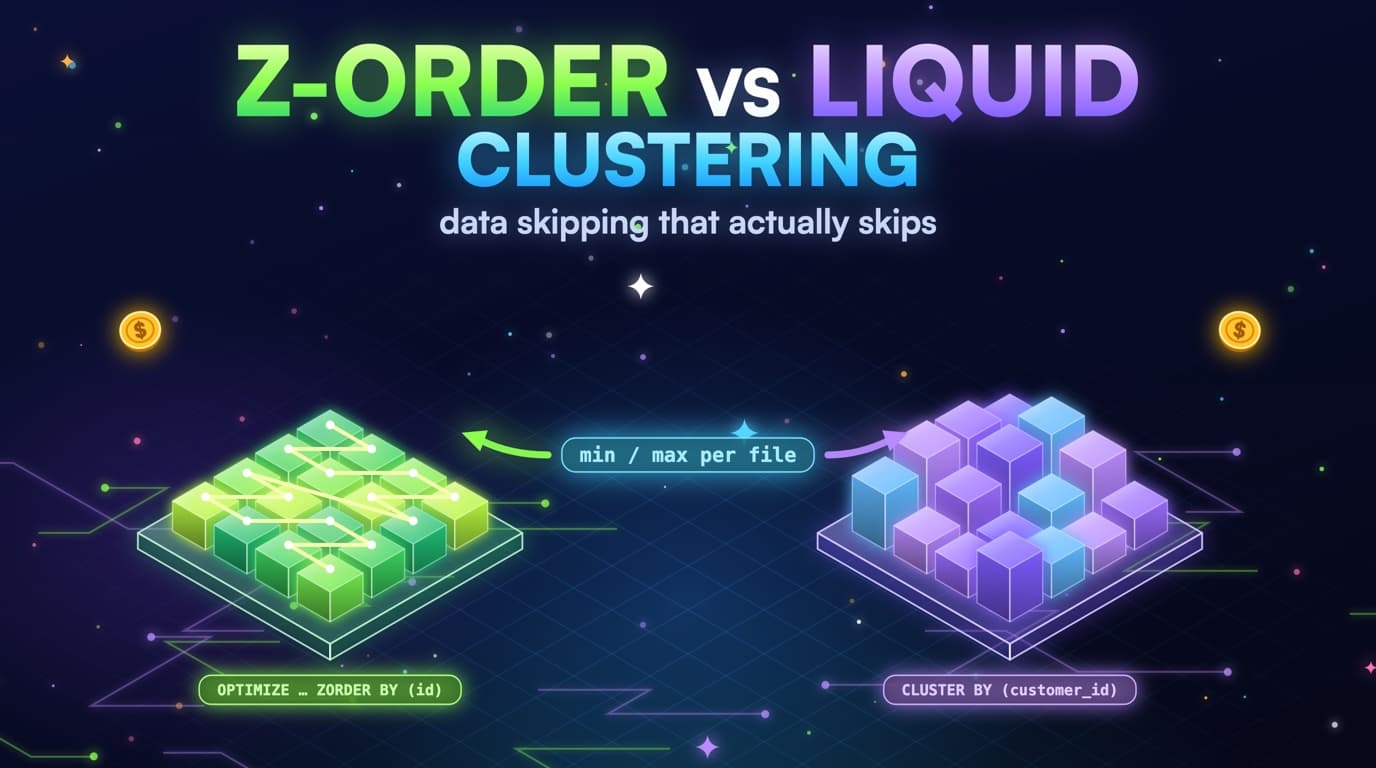
Hive-style partitions skip directories. Data skipping, liquid clustering, and ZORDER skip files inside a directory using the min and max stats stored in the Delta log. A predicate on event_date = CURRENT_DATE() skips other days; a function on event_ts, a filter on a nested timestamp, or a WHERE that only mentions a non-partition column reads the whole directory.
SELECT user_id, SUM(amount)
FROM analytics.events
WHERE event_date BETWEEN :start_date AND :end_date
  AND status = 'paid';
-- Partition prune drops other days.
-- ZORDER / liquid clustering on status can skip files inside the day.
The file index only resolves comparisons it can match against partition values and per-file stats. DATE(event_date) looks like a date filter to a human and a function to the index. CAST(event_date AS STRING) = '2026-08-23' is the same miss with extra type noise. A join to a dates dimension that only filters the dimension, after the fact table has already been scanned, is a post-read predicate dressed up as a star schema.
-- 1) Function wrapping the partition column
WHERE DATE(event_date) = CURRENT_DATE()

-- 2) Filter on a correlated timestamp
WHERE event_ts >= CURRENT_TIMESTAMP() - INTERVAL 1 DAY

-- 3) CAST that hides the partition type
WHERE CAST(event_date AS STRING) = '2026-08-23'

-- 4) Filter only on a non-partition column
WHERE status = 'paid'
Liquid clustering is replacing a lot of ZORDER usage, but the rule stays the same: the columns you filter on have to be the columns the layout is organized by, and the predicate has to be a naked comparison. CLUSTER BY (status, user_id) does not help a job that only filters DATE(event_ts). ZORDER BY (ingest_id) does not help a job that filters status. Layout is a bet on the WHERE clause of the jobs that actually run.
Dynamic file pruning can skip files inside a join when the build side is small enough to broadcast the keys. It is a second chance, not a substitute for a partition column: if both sides are huge, or the join key is not in the stats the files advertise, Photon still reads the whole day, or the whole table. Treat dynamic pruning as a bonus on a well-laid-out fact, not as permission to wrap the partition column.
Generated columns are the honest fix when the business filter is a timestamp and the layout is a date. If event_date is GENERATED ALWAYS AS (CAST(event_ts AS DATE)) and the table is partitioned on event_date, a predicate on event_ts in a tight range can be rewritten onto the generated partition column. A predicate that wraps event_ts in DATE() still fights that rewrite. Prefer filtering the generated column directly in dashboards and dbt, and keep the timestamp for grain, not for prune.
CREATE TABLE analytics.events (
  event_ts TIMESTAMP,
  event_date DATE GENERATED ALWAYS AS (CAST(event_ts AS DATE)),
  user_id STRING,
  status STRING,
  amount DECIMAL(18, 2)
)
USING DELTA
PARTITIONED BY (event_date);

-- Prefer the generated column in every consumer.
SELECT user_id, SUM(amount)
FROM analytics.events
WHERE event_date = CURRENT_DATE();
Partial prune is still worth flagging. A perfect event_date filter that then reads 200,000 unclustered files inside today is not a full table scan, but it is not cheap either. The next sections separate directory skip from file skip, so you do not run OPTIMIZE when the real miss is DATE(event_ts), or rewrite SQL when the real miss is tiny files.
How Delta's file index decides what to skip
Min and max stats in the Delta log let Photon skip whole files. A function wrapped around the column hides the match, so the index gives up and reads everything.
- Prunable: equality and tight ranges on the partition / clustering columns, no function wrapping them.
- Not prunable: DATE(col), CAST to string, a different timestamp column, a dates-dim join the planner cannot fold.
- Partial: even a perfect partition filter still reads un-ZORDERed files inside the day.
- Generated columns help only when consumers filter the generated partition column, or a range the engine can rewrite onto it.
Views, Looker explores, and the predicate that never reached Delta
The SQL in system.query.history is often not the SQL a human wrote. It is a view stacked on a view, a Looker explore with a liquid template, or a dbt ephemeral model inlined into a dashboard extract. The partition column can appear in a CTE that never reaches the base read, so grepping for event_date in statement_text both over-counts and under-counts.
WITH recent AS (
  SELECT * FROM analytics.events
  WHERE event_date = CURRENT_DATE()   -- looks pruned
)
SELECT e.user_id, SUM(e.amount)
FROM analytics.events e               -- this read is not
JOIN recent r ON e.user_id = r.user_id
WHERE DATE(e.event_ts) = CURRENT_DATE();
A view that already filters event_date = CURRENT_DATE() is useful, as long as every consumer actually uses it. A view that selects star from the fact and lets Looker add DATE(event_ts) on top is the opposite case: the warehouse still compiles that outer predicate, and if it is not the partition column, Delta never sees a prune key. Centralizing the date filter in a certified view is cheaper than teaching forty explores to name the right column.
CREATE OR REPLACE VIEW analytics.events_today AS
SELECT user_id, status, amount, event_ts, event_date
FROM analytics.events
WHERE event_date = CURRENT_DATE();

-- Consumers query the view. The prune is in the view body,
-- not in forty Looker liquid templates.
Looker, Tableau, Power BI, and notebook SQL all produce different statement_text shapes for the same business question, so fingerprint after stripping literals rather than hoping the BI tool emits the partition column. The finding worth having is: this fingerprint reads bytes near table size, the table is partitioned, and the jobs that look date-scoped still do not skip files.
dbt incremental models that filter a timestamp on the source and write a partitioned target can still full-scan that source. Incremental changes how you write; it does not change how you read. If the source is the 8 TB events table and the incremental filter is DATE(event_ts), you paid for the full scan to produce a tidy mart downstream. Fix the source read first.
Connected sheets, Partner Connect extracts, and ad-hoc SQL editor tabs rarely inherit your certified view, and they are often the jobs whose statement_text still has the DATE() wrapper because nobody reviewed a spreadsheet. Attribution by executed_by and client_application tells you whether this needs a Looker explore change or a conversation with one analyst.
The CTE filter that never reaches the billed read
The partition filter sits in a CTE that is joined, not selected from directly. The base table read in the FROM clause has no prune key.
How to diagnose a full scan from system.query.history
You do not need to SELECT user catalogs to rank this. system.query.history already has start_time, total_duration_ms, read_bytes, executed_by, compute.warehouse_id, and statement_text. When the channel exposes read_files and pruned_files, the skip ratio sits in the same row: bytes near table size with pruned_files near zero on a partitioned fact is the finding.
SELECT
  executed_by,
  compute.warehouse_id AS warehouse_id,
  LEFT(statement_text, 180) AS statement_head,
  COUNT(*) AS runs,
  SUM(read_bytes) AS bytes,
  SUM(total_duration_ms) AS duration_ms,
  SUM(COALESCE(pruned_files, 0)) AS pruned_files,
  SUM(COALESCE(read_files, 0)) AS read_files
FROM system.query.history
WHERE start_time >= CURRENT_DATE() - INTERVAL 30 DAYS
  AND execution_status = 'FINISHED'
  AND read_bytes > 0
GROUP BY 1, 2, 3
ORDER BY duration_ms DESC
LIMIT 50;
-- Join warehouse_id to system.compute.warehouses for size / DBU rate.
-- Never SELECT from main.analytics.events to build this list.
Table size itself is the awkward join. The honest metadata path is system tables plus, in your own workspace, DESCRIBE DETAIL or information_schema. SlashPeak will not SELECT analytics.events to learn the size; it will use whatever catalog metadata the system schemas expose, compare read_bytes to that size, and skip the dollar math when size is missing rather than invent a table.
Rank by monthly DBU dollars, not by how ugly the SQL looks. A 200 GB scan that runs every two minutes beats an 8 TB scan that ran once in a notebook last month. Fingerprint statement_text with literals stripped, then sum duration times the warehouse DBU rate. That is the list you take to the explore owner.
-- Illustrative: strip long literals before grouping in the app layer.
-- In SQL, a coarse stand-in is to drop digits from statement_text.
SELECT
  REGEXP_REPLACE(statement_text, '[0-9]+', '#') AS fingerprint,
  COUNT(*) AS runs,
  SUM(read_bytes) AS bytes,
  SUM(total_duration_ms) AS duration_ms
FROM system.query.history
WHERE start_time >= CURRENT_DATE() - INTERVAL 30 DAYS
  AND statement_text ILIKE '%analytics.events%'
GROUP BY 1
HAVING COUNT(*) >= 10
ORDER BY duration_ms DESC;
Fail soft when profile columns are absent. Some workspaces enable system tables late, and some channels omit pruned_files. A rule that guesses a full scan from SQL text alone will flag every DATE() whether or not Photon actually skipped files. Conservative skip is the same choice SlashPeak already makes on BigQuery jobs without plan data: no plan, no finding, no fake savings.
Thirty days is enough to see the weekly dashboard cadence and the month-end close; seven days is enough to debug one explore. Tune from a fingerprint whose bytes and duration repeat, not from a single statement_id. A one-off notebook run is noise. A fingerprint that runs every morning in Looker is the bill.
MERGE, overwrite, and the partition that still got rewritten
MERGE is how most Databricks shops upsert a day. MERGE that matches on a business key without a partition predicate on the target is how those shops rewrite 8 TB every night: the source can be filtered to today, but the target read is not, and Photon still has to find matching keys across the whole table unless the ON clause includes event_date and that column is the partition key.
MERGE INTO analytics.events AS t
USING (
  SELECT * FROM analytics.events_delta
  WHERE event_date = CURRENT_DATE()     -- source is filtered
) AS s
ON t.event_id = s.event_id              -- target is not
WHEN MATCHED THEN UPDATE SET *
WHEN NOT MATCHED THEN INSERT *;
-- Target read has no partition predicate. 8 TB rewrite.
replaceWhere and dynamic partition overwrite are the other common patterns. DELETE FROM events WHERE event_date = :run_date followed by an INSERT of the new day rewrites one directory. MERGE INTO events ON event_id without event_date rewrites the whole table. If your streaming pipeline already knows the partition, put that column in the merge key: a unique id alone is not a prune key.
MERGE INTO analytics.events AS t
USING analytics.events_delta AS s
ON t.event_date = s.event_date          -- partition column
AND t.event_id = s.event_id
WHEN MATCHED THEN UPDATE SET
  t.amount = s.amount,
  t.status = s.status
WHEN NOT MATCHED THEN INSERT *;

-- Or skip MERGE for a daily rebuild of one partition:
INSERT INTO analytics.events
REPLACE WHERE event_date = CURRENT_DATE()
SELECT * FROM analytics.events_delta
WHERE event_date = CURRENT_DATE();
Change data feed and deletion vectors change the storage story, but they do not change the rule that a target read without a partition predicate is a full scan of that target: turn on deletion vectors and still MERGE on event_id alone, and you still pay to find the rows.
Scheduled jobs that rebuild a gold table with CREATE OR REPLACE TABLE AS SELECT from an unpruned silver table are full scans under a different name. A gold layer does not become cheap just by being gold. If the CTAS has no event_date filter and silver is 8 TB, you copied the miss into a more expensive layer. Partition the gold table and filter the silver read, so the 9am dashboard hits gold instead of re-scanning silver.
Why the MERGE target still gets fully rewritten
Filtering the source to today does not protect the target. Without the partition column in the ON clause, Photon scans every partition to find matches.
A layout lifecycle, not a one-time PARTITIONED BY
Partition on a coarse date if the table is huge, liquid-cluster or ZORDER on the columns the expensive jobs actually filter, and run OPTIMIZE on a schedule that matches write frequency. Avoid partitioning on user_id just because it is selective: that produces a million directories. Hive partitions are for low-cardinality columns, usually time; clustering is for the rest.
Match the layout to the WHERE clause of the jobs that actually run, the same way BigQuery clustering should match filter columns. statement_text in query.history is the evidence. A table partitioned by ingest_date because that is when the pipeline ran, but queried by event_date because that is what the business means, is a layout that will never prune. Rename the column or add a generated partition that matches the filter.
Revisit the layout after the write pattern changes. A batch COPY once a day wants a different OPTIMIZE cadence than Auto Loader every thirty seconds. Liquid clustering earns its keep on the streaming table because it reclusters incrementally; a one-time OPTIMIZE ZORDER from 2024 is a stale habit on a table that has kept appending since then.
Avoid stacking every trick at once. Partition plus liquid clustering plus bloom filters plus a leftover ZORDER plus a unique ingest_id partition produces a table nobody can explain. Pick the prune key from the top fingerprints, compact, and measure read_bytes on those fingerprints the following week. If bytes do not drop, the predicate still does not match the layout.
Ownership matters more than DDL taste. The pipeline team owns OPTIMIZE; the BI team owns the explore SQL; cost sits in the gap between them. A ranked finding that names executed_by, warehouse, and the table closes that gap. A wiki page asking people to please filter event_date usually does not.
What to do when SlashPeak (or you) find a full scan
Fix order matters. Changing one Looker explore is cheaper than rewriting a 200-model dbt project, and adding a strict convention on a table that Partner Connect also hits can break things for the analytics team overnight. Confirm the table is partitioned, and on which column, before you rewrite SQL. If it is not partitioned, this is a layout ticket, not a predicate ticket.
Rewrite the hot fingerprints so the partition column is compared directly. Push the date range into views and explores rather than wrapping a timestamp. For dbt incremental models, make the partition filter a required var rather than a documented convention nobody checks.
Compact first, then cluster, then talk about warehouse size. Doing it in the wrong order is how a team buys a 2X-Large serverless warehouse to survive a DATE(event_ts) dashboard, then concludes Databricks is expensive. The DBU meter followed the scan, the scan followed the predicate, and the predicate traced back to a liquid template written in 2023.
Re-measure on system.query.history. The same fingerprint should show lower read_bytes and, if the columns exist, a higher pruned_files ratio. If duration drops but bytes do not, you bought a bigger warehouse; if bytes drop, you fixed the prune. SlashPeak will treat that re-scan as the scoreboard the same way it does on BigQuery, coming soon for Databricks, and recommend-only.
- Confirm PARTITIONED BY (and any generated column) before rewriting SQL.
- Fix the hottest fingerprint first: naked comparison on the partition column in the billed read, not in a discarded CTE.
- OPTIMIZE the recent partitions so footer overhead does not hide a successful prune.
- Cluster on the filters that remain inside the day. Wrong columns are a later post.
- Re-read query.history. Bytes should fall. If only wall clock falls, you scaled compute.
How SlashPeak will turn 30 days of history into a dollar number
SlashPeak never reads table contents. The Databricks scanner (coming soon) will query system.query.history and system.compute.warehouses for a 30-day window: bytes, duration, warehouse id, user, statement text fingerprints, and warehouse size / auto-stop. It will not SELECT on main.analytics.events or any other user catalog.
Full-scan findings will join those bytes to table size and partition columns when catalog metadata is available, group hits by table and fingerprint, and convert warehouse duration to a monthly DBU run-rate. Jobs without enough metric data will be skipped rather than guessed. A false positive on an 8 TB table wastes an engineer's afternoon.
Each finding will include attribution: executed_by, client application, warehouse, and whether the statement looks like dbt, Looker, a notebook, or a SQL editor tab. That is the difference between knowing a table is expensive and knowing which Looker explore on analytics.events actually needs to change.
Recommend-only is the contract. The Databricks scanner will not OPTIMIZE, will not ALTER TABLE, will not rewrite your explore. An agent with unchecked write access is a different product. You apply the predicate fix. The next scan is the scoreboard.
Takeaways
- Delta skips directories and files when the partition or clustering column is compared without a function. DATE(event_ts) is a full scan.
- Photon makes a full scan faster per byte, not smaller. DBU-hours still follow wall clock.
- Tiny files inside a pruned partition add real overhead. OPTIMIZE is not optional on a streaming fact, and VACUUM does not substitute for it.
- Views and Looker explores can mention the partition column in a CTE that is not the billed read. Trust bytes and skip counters over a grep of the SQL.
- MERGE and CTAS without a partition predicate on the target rewrite the table even when the source is filtered to today.
- Diagnose from system.query.history. You do not need SELECT on user catalogs to rank fingerprints by duration and bytes.
- SlashPeak's Databricks scanner will use system.query.history, not a grep of the SQL, the same way BigQuery rules use job_stages (coming soon, recommend-only).