The system catalog already has the bill
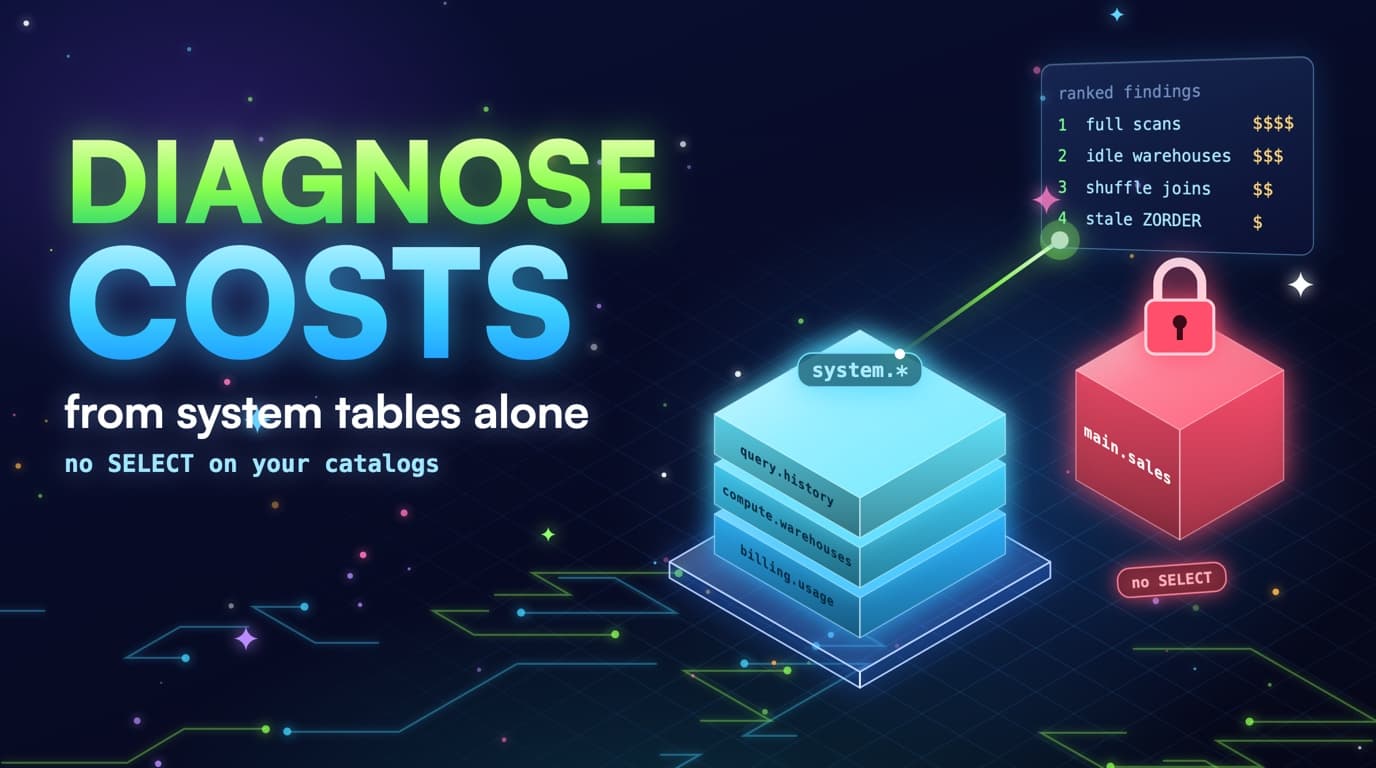
Databricks system tables are the equivalent of BigQuery INFORMATION_SCHEMA. system.query.history has bytes, duration, warehouse id, user, and statement text. system.compute.warehouses has size and auto-stop. Billing tables, where enabled, have DBU meters.
None of those views return a row from main.analytics.events. SELECT on system schemas is the grant. SELECT on user catalogs is the grant we will never ask for. That is the same contract SlashPeak already keeps on BigQuery with one read-only custom role of metadata permissions, never dataViewer on your tables.
-- Required: SELECT on system.query.history, system.compute.warehouses
-- Never: SELECT on main.analytics.*

SELECT
  compute.warehouse_id AS warehouse_id,
  executed_by,
  read_bytes,
  total_duration_ms,
  LEFT(statement_text, 200) AS statement_head
FROM system.query.history
WHERE start_time >= CURRENT_DATE() - INTERVAL 30 DAYS
  AND read_bytes > 0;
Unity Catalog makes this distinction easier to explain and easier to get wrong. A service principal that can SELECT on the whole main catalog can read customer facts. A service principal that can SELECT on system.query.history can read how those facts were queried, not the facts. Cost diagnosis lives in the second grant. Privacy reviews should too.
System tables lag. They are not the Spark UI. They are not a streaming audit log you tail. A 30-day scan is the right grain for cost, the same way INFORMATION_SCHEMA.JOBS is the right grain for BigQuery. If you need to debug one statement right now, use the SQL editor's profile. If you need to rank the month, use system tables.
Enablement is workspace-specific. Some accounts have query history on and billing off. Some have warehouses on and lakeflow off. A runbook that dies when one relation is missing is a brittle runbook. Each query below should stand alone. Fail soft, record what you could not see, and rank what you could.
Statement_text is SQL, not row data, but SQL can still contain literals that are PII. Fingerprint in the application layer. Do not dump raw statement_text into a shared slide. The runbook snippets below use LEFT() and REGEXP_REPLACE as a coarse stand-in. SlashPeak will hash a PII-safe fingerprint and keep samples short.
How the three system tables join
warehouse_id links query history to warehouse settings and, where billing is enabled, to the DBU meter. None of the three touches a user catalog.
The exact grants and the ones we will never ask for
Ask for SELECT on system.query.history so the scanner can read duration, bytes, rows, warehouse id, executed_by, client_application, and statement text fingerprints. Ask for SELECT on system.compute.warehouses so it can read size, type, and auto_stop_minutes. Ask for SELECT on system.billing.usage when the workspace has it, and treat it as optional.
-- Run as a metastore / workspace admin. Names vary by UC setup.
GRANT SELECT ON TABLE system.query.history
  TO slashpeak-readonly-account;
GRANT SELECT ON TABLE system.compute.warehouses
  TO slashpeak-readonly-account;
-- Optional:
-- GRANT SELECT ON TABLE system.billing.usage
--   TO slashpeak-readonly-account;

-- Never:
-- GRANT SELECT ON CATALOG main TO slashpeak-readonly-account;
-- GRANT MODIFY ON TABLE analytics.events TO slashpeak-readonly-account;
Never ask for SELECT on user catalogs. Never ask for MODIFY, never ask for warehouse edit APIs that would resize or stop compute. Never ask for a personal access token that can run jobs in your name beyond the system-table SELECTs. Recommend-only means the output is a ranked list plus SQL you apply.
BROWSE on Unity Catalog, if you choose to grant it inside your own notebooks, is how you DESCRIBE DETAIL without reading rows. SlashPeak will not require that grant. If table size and clustering columns are not available from system schemas, findings that need them stay advisory. Missing metadata is not a reason to request analytics.events.
Workspace-gated system tables are the Databricks cousin of a BigQuery scanner key that cannot read the reservation admin project. The scan should complete. The idle-DBU finding may be absent. The full-scan finding may still rank from query.history bytes alone. Document the hole instead of failing the whole connection.
Rotate the principal. Scope it to the system schemas. Log its queries; they should only ever hit system schemas. If you see that principal SELECT from a user catalog, something is misconfigured. That invariant is the security story. It is also the product story.
- Grant: SELECT on system.query.history and system.compute.warehouses.
- Optional: SELECT on system.billing.usage for DBU meters. Fail soft if absent.
- Never: SELECT on user catalogs, writes, or warehouse APIs that resize for you.
- Lag / permissions: system tables can be workspace-gated. Fail soft, same as missing reservation admin on BigQuery.
Runbook: rank Delta full scans from query.history
Goal: find fingerprints whose read_bytes stay near the working set of a large table even when the SQL looks filtered. You will not prove partition columns from system tables alone if those columns live in user DDL. You will still rank the jobs that dominate DBU-hours and whose bytes are enormous relative to a day-shaped question.
Pull 30 days of finished statements with read_bytes greater than zero. Fingerprint statement_text. Sum bytes, duration, runs. Join warehouse_id to warehouse_size so you can convert duration to a rough DBU dollars later. Keep executed_by and client_application for the owner.
SELECT
  REGEXP_REPLACE(LOWER(statement_text), '[0-9]+', '#') AS fingerprint,
  COUNT(*) AS runs,
  SUM(read_bytes) AS bytes,
  SUM(total_duration_ms) AS duration_ms,
  SUM(COALESCE(pruned_files, 0)) AS pruned_files,
  SUM(COALESCE(read_files, 0)) AS read_files,
  MAX(executed_by) AS sample_user,
  MAX(client_application) AS sample_client,
  MAX(compute.warehouse_id) AS sample_warehouse
FROM system.query.history
WHERE start_time >= CURRENT_DATE() - INTERVAL 30 DAYS
  AND execution_status = 'FINISHED'
  AND read_bytes > 0
  AND statement_type IN ('SELECT', 'MERGE', 'INSERT', 'CREATE TABLE AS SELECT')
GROUP BY 1
HAVING COUNT(*) >= 5
ORDER BY duration_ms DESC
LIMIT 50;
Flag candidates where statement_text mentions DATE( or CAST( on a timestamp, or where pruned_files is present and near zero while read_files is huge. Those are the DATE(event_ts) family. Also flag fingerprints that read similar bytes to each other across days: a daily full scan has a flat bytes series, while a pruned scan has a series that follows the partition slice.
SELECT
  LEFT(statement_text, 200) AS statement_head,
  COUNT(*) AS runs,
  SUM(read_bytes) AS bytes,
  SUM(total_duration_ms) AS duration_ms
FROM system.query.history
WHERE start_time >= CURRENT_DATE() - INTERVAL 30 DAYS
  AND execution_status = 'FINISHED'
  AND (
    statement_text ILIKE '%DATE(%'
    OR statement_text ILIKE '%CAST(%AS STRING)%'
  )
GROUP BY 1
ORDER BY bytes DESC
LIMIT 30;
-- This is a suspect list, not proof. Bytes + skip counters
-- decide. SQL grep alone will both over-count and under-count.
Do not SELECT the fact to confirm. If you need table size in your own notebook, DESCRIBE DETAIL is your privilege, not the scanner's. Compare the fingerprint's typical read_bytes to that size. Near 100 percent is a full scan. Near 1/N of days in the table is a prune that is working. In between is a range filter or a clustering miss.
Turn the top fingerprint into a ticket with the rewrite: filter the partition column naked, not the timestamp wrapped. Re-run the history query a week later. Bytes should fall. If only duration falls, someone enlarged the warehouse.
Runbook: idle warehouses and DBU tails
Goal: find warehouses whose auto-stop or size is the waste, independent of SQL quality. Read system.compute.warehouses for the knobs. Read query.history for the work. Read billing.usage for the meter if you have it.
For each warehouse, compute query count, query minutes, p95 duration, and median read_bytes over 30 days. Compare auto_stop_minutes to p95. A p95 of 6 seconds with auto-stop of 45 minutes on a BI client_application is a tail finding. A p95 of 18 minutes on ETL is not.
WITH work AS (
  SELECT
    compute.warehouse_id AS warehouse_id,
    COUNT(*) AS queries,
    SUM(total_duration_ms) / 60000.0 AS query_minutes,
    APPROX_PERCENTILE(total_duration_ms, 0.95) AS p95_ms,
    APPROX_PERCENTILE(read_bytes, 0.5) AS median_bytes
  FROM system.query.history
  WHERE start_time >= CURRENT_DATE() - INTERVAL 30 DAYS
    AND execution_status = 'FINISHED'
  GROUP BY 1
)
SELECT
  w.warehouse_name,
  w.warehouse_type,
  w.warehouse_size,
  w.auto_stop_minutes,
  work.queries,
  work.query_minutes,
  work.p95_ms,
  work.median_bytes,
  work.queries * w.auto_stop_minutes AS naive_tail_minutes
FROM system.compute.warehouses w
LEFT JOIN work ON work.warehouse_id = w.warehouse_id
ORDER BY naive_tail_minutes DESC NULLS LAST;
Build an hourly query-count series. Hours with zero queries on a warehouse that billing says was up are idle. If billing is missing, you can still estimate a naive tail as query_count times auto_stop_minutes and treat it as an upper bound that overlap would reduce. Do not present the naive tail as invoiced DBUs.
SELECT
  usage_metadata.warehouse_id AS warehouse_id,
  usage_date,
  sku_name,
  SUM(usage_quantity) AS dbu
FROM system.billing.usage
WHERE usage_date >= CURRENT_DATE() - INTERVAL 30 DAYS
GROUP BY 1, 2, 3
ORDER BY usage_date, dbu DESC;
-- If this fails on permissions, continue the runbook without
-- DBU dollars. Settings plus query overlap still rank idle.
Oversize is median read_bytes in megabytes on a Large or bigger warehouse with p95 under the SLA. Drop a size in a maintenance window. Watch p95 and wait columns. Queueing means you went too far. Idle Large with no queues means you had not gone far enough.
Split the output: idle tail, oversized size, classic left on, misrouted BI on an ETL warehouse. Four lists. One mixed 'warehouse waste' number is how the wrong knob gets turned.
Runbook: clustering gaps and Photon shuffle
Goal: after full scans and idle warehouses, rank jobs that pruned (or should have) and still paid for a layout or a shuffle. Clustering gaps look like high read_files, low pruned_files, filter-shaped SQL, bytes smaller than a full table but larger than a tight partition slice. Shuffle looks like JOIN-shaped SQL, high duration, high spill if present, repeated fingerprints.
Reuse the fingerprint query. Add a spill column and a JOIN filter. Keep skip counters. You now have one table in a notebook that can feed three findings. That is the point of system.query.history: one relation, several rules, no user-catalog SELECT.
SELECT
  REGEXP_REPLACE(LOWER(statement_text), '[0-9]+', '#') AS fingerprint,
  COUNT(*) AS runs,
  SUM(total_duration_ms) AS duration_ms,
  SUM(read_bytes) AS bytes,
  SUM(COALESCE(spilled_local_bytes, 0)) AS spilled_bytes,
  SUM(COALESCE(pruned_files, 0)) AS pruned_files,
  SUM(COALESCE(read_files, 0)) AS read_files
FROM system.query.history
WHERE start_time >= CURRENT_DATE() - INTERVAL 30 DAYS
  AND execution_status = 'FINISHED'
  AND statement_text ILIKE '% JOIN %'
GROUP BY 1
HAVING COUNT(*) >= 8
ORDER BY duration_ms DESC
LIMIT 40;
For clustering, you still need a hypothesis about columns. Derive it from statement_text WHERE clauses, coarsely, or from what you already know about the dashboard. Do not SELECT DISTINCT user_id FROM events to measure cardinality. Cardinality estimates that require table reads are out of scope for a metadata-only scan. Put 'verify clustering columns' on the ticket the human runs.
For shuffle, prefer materialize-or-broadcast recommendations over spark config folklore. If the fingerprint is a two-fact join every morning, the runbook output is a mart DDL, not a new shuffle partition number. If the fingerprint is a fact-to-20 MB dim join without a broadcast, the output is a hint plus a partition filter.
-- Pattern A: prune + broadcast dim
SELECT /*+ BROADCAST(c) */ …
FROM analytics.orders o
JOIN analytics.customers c ON o.customer_id = c.customer_id
WHERE o.event_date = CURRENT_DATE();

-- Pattern B: mart so the explore stops shuffling
-- INSERT INTO analytics.orders_daily_mart REPLACE WHERE …

-- Pattern C: cluster the join key on the fact
-- ALTER TABLE analytics.orders CLUSTER BY (customer_id);

-- SlashPeak will print patterns like these. It will not run them.
Advisory versus dollar findings: if skip or spill columns are null, keep the row on an advisory list. Inventing a DBU savings from a missing counter is how tools lose trust. SlashPeak will follow that split the way it already excludes some BigQuery advisories from total estimated monthly waste.
What a 30-day scan can rank without table contents
Full scan: bytes_read near table size on a partitioned table, or DATE()/CAST wrappers plus skip counters near zero. Idle warehouse: uptime with no overlapping queries, auto-stop above a threshold on BI-shaped traffic. Clustering gap: data-skipping stats versus the columns in the filter. Photon shuffle: duration plus shuffle or spill counters on repeated fingerprints. Attribution: executed_by, client, warehouse.
Statement_text is SQL, not row data. Fingerprint it the same way we fingerprint BigQuery jobs. Workload source can be inferred from client_application and comment headers (dbt, Looker, notebooks) without a lineage product. Environment can sometimes be inferred from catalog.schema tokens in the SQL (prod, staging, dev) the same way BigQuery uses dataset names.
What you cannot rank honestly without more metadata: a dollar figure for clustering a table whose size you do not know, a guarantee that a DATE() wrapper failed to prune when skip columns are missing, a reservation-style utilization number Databricks does not expose the same way BigQuery slots do. Skip those or mark them advisory.
Thirty days captures weekly BI and most monthly close behavior. It does not capture a quarterly board deck. If the expensive job is quarterly, you will under-rank it. That is acceptable. The daily and hourly waste is the bill. The quarterly job is a calendar reminder.
From system tables to a ranked finding
Every rule follows the same funnel: pull thirty days, fingerprint the SQL, then only attach a dollar figure when the supporting columns are present.
- Grant: SELECT on system.query.history and system.compute.warehouses.
- Never: SELECT on user catalogs, writes, or warehouse APIs that resize for you.
- Lag / permissions: system tables can be workspace-gated. Fail soft, same as missing reservation admin on BigQuery.
- Advisory when skip, spill, or billing columns are absent. Do not invent savings.
Fail-soft when system tables are workspace-gated
Expect failures. The first connection to a new workspace often has query.history and not billing.usage, or warehouses and not lakeflow. Catch per relation. Continue. Show the user which rules ran. A scanner that hard-fails because optional DBU meters are missing is a scanner nobody finishes setting up.
SHOW TABLES IN system.query;
SHOW TABLES IN system.compute;
SHOW TABLES IN system.billing;
-- Run each later SELECT in its own try. One missing table
-- must not abort the others.
Column drift is the other failure. read_bytes versus bytes_read, pruned_files present on SQL warehouses and absent on some clusters, spilled_local_bytes null. Probe columns, select what exists, compute skip ratio only when both file counters exist. This is boring engineering and it is the difference between a trustworthy finding and a false full scan.
Timezones and clock skew show up when you join billing hours to query hours. Use UTC from the system tables and convert in the application. Do not compare a warehouse's local close-of-day to usage_date without checking. Idle tails of one hour at the date boundary are usually this bug, not a haunted warehouse.
SlashPeak already fail-softs BigQuery timeline queries when the key cannot read the reservation admin project. Databricks will get the same posture. Coming soon means we will not pretend every workspace has every system table on day one.
Fail soft when a system table is missing
Each relation is probed and read in its own try. One missing table degrades a finding to advisory instead of aborting the whole scan.
Recommend-only is the contract
A finding is a ranked dollar estimate plus the SQL or warehouse change you apply. The Databricks scanner will not OPTIMIZE, will not ALTER TABLE CLUSTER BY, will not stop a warehouse. On BigQuery, the one SlashPeak feature that applies changes is Cognis AI DBA, and only inside a policy the owner sets, with owner approval for each action.
Write access on Databricks is especially tempting because OPTIMIZE, auto-stop, and warehouse size are one API call away. That is also why it is a trust problem. An agent that compact-rewrites yesterday's partition at 9:05am can collide with the dashboard it was trying to save. Recommend-only keeps the human in the blast radius decision.
The output format should look like the BigQuery scan you may already know: a ranked list, estimated monthly waste where the math is honest, advisories where it is not, attribution so someone owns the ticket, and a re-scan after you apply the change. Same loop. Different system tables.
If a vendor asks for SELECT on main to 'improve accuracy,' that is a different access model. Row data does not make a skip ratio more true than pruned_files. It does make a security review longer. Hold the line.
Join the waitlist for the first workspace
The Databricks scanner is coming soon. Join the waitlist from the Databricks product page. We will email you when the first workspace can connect with system-table SELECT and nothing more.
While you wait, run the queries in this post. You will get a ranked list that is already close to what the product will automate: full-scan suspects, idle warehouse tails, heavy repeated fingerprints. Keep the results in a notebook that only reads system.*. That notebook is also the access-model demo you can show security.
Prepare the principal. Create a service user that can SELECT the two system tables, cannot SELECT user catalogs, and cannot edit warehouses. When the scanner ships, you paste that principal's credentials into SlashPeak the same way you do for BigQuery, minus the extra grants other tools request because they want to auto-fix.
If you already have BigQuery connected, the Databricks findings will sit in the same ranked shape: dollars where we can defend them, advisories where we cannot, and recommend-only with no writes. The waitlist just tells us which workspace to invite first; it is not a sales gate to see a number. BigQuery stays self-serve, and Databricks will too, once the scanner is live.
Takeaways
- system.query.history and system.compute.warehouses are enough: scans, DBUs, idle warehouses, shuffle, attribution.
- SELECT on system schemas is the grant. SELECT on user catalogs is never requested, including by SlashPeak.
- Rank fingerprints over 30 days. Strip literals. Join warehouse knobs. Fail soft when billing, skip, or spill columns are missing.
- Full-scan suspects come from bytes plus skip counters plus DATE()/CAST wrappers, not from grep alone.
- Idle tails come from auto_stop_minutes, query overlap, and optional billing.usage. Naive tails are upper bounds, not invoices.
- Recommend-only means SlashPeak will not OPTIMIZE, CLUSTER BY, or stop a warehouse. You apply the change. The next scan is the scoreboard.
- Prepare a system-table-only principal now. Join the waitlist from the Databricks product page for the first workspace connection.
- SlashPeak's Databricks scanner will follow the same metadata-only contract as the BigQuery scanner, and it will be recommend-only (coming soon).