The catalog already has the bill
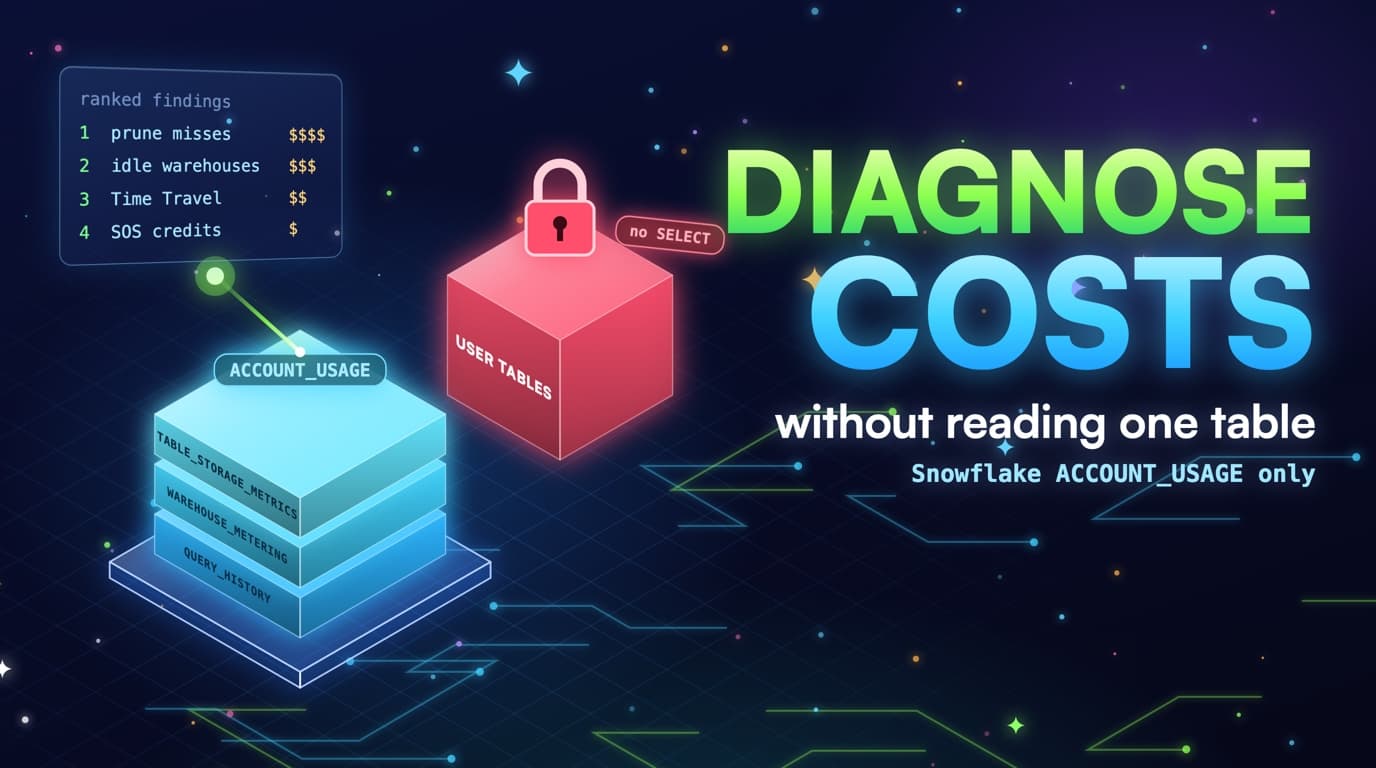
Snowflake ACCOUNT_USAGE is the equivalent of BigQuery's INFORMATION_SCHEMA plus reservation timelines. QUERY_HISTORY has bytes, partitions scanned, warehouse, user, and query text. WAREHOUSE_METERING_HISTORY has credits. TABLE_STORAGE_METRICS has active, Time Travel, and Fail-safe bytes. Clustering and SOS history have their own credit streams.
None of those views return a row from analytics.orders. IMPORTED PRIVILEGES on the SNOWFLAKE database is the grant; SELECT on user databases is the grant we'll never ask for.
-- Required: IMPORTED PRIVILEGES on SNOWFLAKE
-- Never: SELECT on analytics.*

SELECT warehouse_name, user_name,
       bytes_scanned, partitions_scanned, partitions_total,
       execution_time, query_text
FROM snowflake.account_usage.query_history
WHERE start_time >= DATEADD(day, -30, CURRENT_TIMESTAMP())
  AND bytes_scanned > 0;
This post is a runbook you can execute today in a worksheet, with a role that has that grant and nothing else. The queries below are the same joins SlashPeak will automate once the Snowflake scanner ships; until then they're copy-paste, and proof that a cost product doesn't need dataViewer-equivalent access on your facts.
ACCOUNT_USAGE isn't INFORMATION_SCHEMA. INFORMATION_SCHEMA is session- and region-limited and faster for 'right now.' ACCOUNT_USAGE is account-wide, retained about a year, and lags (often 45 minutes to a few hours depending on the view). For a 30-day cost ranking, ACCOUNT_USAGE is the right source; for 'did my ALTER 10 minutes ago change SHOW WAREHOUSES,' use SHOW and INFORMATION_SCHEMA instead.
Query text is SQL, not customer rows, but it can still contain literals. Fingerprint before pasting a query into Slack: hash emails, keep the shape. SlashPeak will hash PII-looking literals the same way the BigQuery scanner does, and you should too on a manual run.
Recommend-only starts here. These queries rank; they don't ALTER WAREHOUSE, CLUSTER BY, or DROP TABLE. An agent with unchecked write access is a different product. If a query below looks like it could be wrapped in a stored procedure that auto-resizes, don't; apply changes in a PR with an owner instead.
What the diagnostic role can and cannot read
IMPORTED PRIVILEGES on SNOWFLAKE opens ACCOUNT_USAGE. It never opens a SELECT on a user table, even for the role running these queries.
What a 30-day scan can rank without table contents
Prune miss: partitions_scanned near partitions_total on a clustered table. Idle warehouse: metering credits with no overlapping queries. Clustering debt: high depth plus automatic clustering credits. Time Travel: failsafe plus time_travel bytes against last query. Attribution: user_name, client application, warehouse labels.
QUERY_HISTORY.query_text is SQL, not row data. Fingerprint it the same way we fingerprint BigQuery jobs: hash literals that look like emails, keep the shape.
You can also rank SOS credits, copy volume, and spill (bytes_spilled_to_local_storage / remote). Spill is a warehouse-size or query-shape finding, not a prune finding, but keep it on the list so a 2XL spilling to remote doesn't get mislabeled idle.
What you can't rank honestly without more data: 'this dashboard is unused' if ACCESS_HISTORY is off, 'this clustering key should be account_id' if query_text is truncated and the view hides the column, or 'drop this table' if you only have 7 days of QUERY_HISTORY in a brand-new account. Skip those. A conservative miss beats a DROP recommendation on a ledger.
Thirty days matches the window SlashPeak scans on BigQuery for the trial, Starter and Growth. Use the same window so finance sees a monthly run-rate instead of a noisy Monday. If ACCOUNT_USAGE in your account retains less for a given view, document the shorter window on the finding.
Four ranked lists from one ACCOUNT_USAGE scan
The same 30-day window feeds four independent backlogs. Keeping them separate is what stops the wrong ALTER from shipping.
- Grant: IMPORTED PRIVILEGES on SNOWFLAKE (ACCOUNT_USAGE).
- Never: SELECT on user databases, INSERT, or warehouse ownership that could resize for you.
- Lag: ACCOUNT_USAGE can trail by up to a few hours. Fail soft, same as INFORMATION_SCHEMA region delays.
Recommend-only is the contract
A finding is a ranked dollar estimate plus the DDL or SQL change you apply. The Snowflake scanner won't ALTER WAREHOUSE, won't CLUSTER BY, won't drop a table. On BigQuery, the one SlashPeak feature that applies changes is Cognis AI DBA, and only inside a policy the owner sets, with owner approval for each action.
The grant list is short on purpose. IMPORTED PRIVILEGES on DATABASE SNOWFLAKE lets a role read ACCOUNT_USAGE and related shared views. MONITOR USAGE is the sibling some accounts use for metering. Neither is SELECT on ANALYTICS, and neither is OWNERSHIP on a warehouse. If a vendor asks for ACCOUNTADMIN to 'just make it easy,' that's not this product.
Dollar estimates from credits should use your contracted credit price, not a blog list price. The queries below return credits and bytes; multiply by the price your finance team already uses. SlashPeak will do the same, with a published list-price default you can override once the scanner ships.
Write access would let a scanner auto-suspend your ETL warehouse at 60 seconds in the middle of a dbt run, which is why we won't take it. The runbook is for humans and PRs, and it stays that way even once the UI exists.
The grant: IMPORTED PRIVILEGES, nothing else
Create a role used only for diagnosis, and later for SlashPeak. Grant IMPORTED PRIVILEGES on DATABASE SNOWFLAKE to that role, and grant the role to a user you control. Don't reuse ACCOUNTADMIN worksheets for daily cost hunts, since that's how SELECT * FROM analytics.orders sneaks into the same session.
CREATE ROLE IF NOT EXISTS dco_snowflake_reader;

GRANT IMPORTED PRIVILEGES ON DATABASE SNOWFLAKE TO ROLE dco_snowflake_reader;

-- Optional, depending on account: metering visibility
-- GRANT MONITOR USAGE ON ACCOUNT TO ROLE dco_snowflake_reader;

GRANT ROLE dco_snowflake_reader TO USER dco_scanner;

-- Security test (must fail on user data, succeed on ACCOUNT_USAGE):
-- SELECT COUNT(*) FROM analytics.orders;                          -- FAIL
-- SELECT COUNT(*) FROM snowflake.account_usage.query_history;     -- OK
Confirm you can't read user tables. A SELECT on analytics.orders should fail; a SELECT on snowflake.account_usage.query_history should succeed. That pair is the security test. Save the screenshot for the next vendor who wants data access.
ACCOUNT_USAGE views live in the SNOWFLAKE database. Some accounts also look at ORGANIZATION_USAGE if they're in an org; start with ACCOUNT_USAGE unless you're ranking multiple accounts, and don't grant org-level admin for a single-account scan.
Run the diagnostic queries on a Small or Medium warehouse that auto-suspends in 60 seconds. ACCOUNT_USAGE queries are metadata and don't need ANALYTICS_XL; pointing the runbook at the XL you're trying to shrink defeats the point.
When SlashPeak connects, this will be the same grant: no SELECT on user databases, no warehouse ownership, recommend-only. Coming soon, with the waitlist on the Snowflake product page. The grant and the queries are usable today.
Runbook step 1: idle warehouse credits
Start with WAREHOUSE_METERING_HISTORY. Rank warehouses by credits_used_compute over 30 days; this is the denominator for every other finding. If one warehouse is 70% of compute, you know where prune and suspend work has to land.
SELECT warehouse_name,
       SUM(credits_used_compute) AS compute_credits,
       SUM(credits_used_cloud_services) AS cloud_services_credits,
       SUM(credits_used) AS credits_used
FROM snowflake.account_usage.warehouse_metering_history
WHERE start_time >= DATEADD(day, -30, CURRENT_TIMESTAMP())
GROUP BY 1
ORDER BY 2 DESC;
Then run the idle-hour left join: metering windows with no overlapping QUERY_HISTORY. High idle share points to auto-suspend and size, not CLUSTER BY. Low idle share with high credits means the SQL is actually running, so move on to step 2.
WITH m AS (
  SELECT warehouse_name, start_time, end_time, credits_used_compute
  FROM snowflake.account_usage.warehouse_metering_history
  WHERE start_time >= DATEADD(day, -30, CURRENT_TIMESTAMP())
    AND start_time < DATEADD(hour, -6, CURRENT_TIMESTAMP())  -- fail-soft lag
    AND credits_used_compute > 0
),
q AS (
  SELECT DISTINCT warehouse_name, start_time, end_time
  FROM snowflake.account_usage.query_history
  WHERE start_time >= DATEADD(day, -31, CURRENT_TIMESTAMP())
    AND warehouse_name IS NOT NULL
)
SELECT m.warehouse_name,
       SUM(m.credits_used_compute) AS compute_credits,
       SUM(IFF(q.warehouse_name IS NULL, m.credits_used_compute, 0)) AS idle_credits,
       DIV0(
         SUM(IFF(q.warehouse_name IS NULL, m.credits_used_compute, 0)),
         SUM(m.credits_used_compute)
       ) AS idle_share
FROM m
LEFT JOIN q
  ON q.warehouse_name = m.warehouse_name
 AND q.start_time < m.end_time
 AND q.end_time > m.start_time
GROUP BY 1
ORDER BY idle_credits DESC;
Pull SHOW WAREHOUSES (or your IaC) for auto_suspend, size, min_cluster_count, and max_cluster_count. ACCOUNT_USAGE isn't always the cleanest place for those settings. The combination of setting, idle share, and cluster_number is the ALTER WAREHOUSE ticket.
Estimate dollars as idle_credits times your credit price, and put that number next to the prune estimate from step 2 so nobody fixes Snowflake by resizing alone.
Fail soft on the last few hours of lag. Don't page anyone because this morning's metering hasn't caught up yet.
Runbook step 2: prune misses from QUERY_HISTORY
Filter QUERY_HISTORY to 30 days, successful jobs, bytes_scanned above 1 TB (tune the floor to your account), and partitions_total > 0. Compute prune_ratio = partitions_scanned / partitions_total, and rank by bytes_scanned where prune_ratio > 0.8.
SELECT query_id,
       warehouse_name,
       user_name,
       bytes_scanned,
       partitions_scanned,
       partitions_total,
       DIV0(partitions_scanned, partitions_total) AS prune_ratio,
       execution_time / 1000 AS execution_seconds,
       warehouse_size,
       LEFT(query_text, 400) AS query_head
FROM snowflake.account_usage.query_history
WHERE start_time >= DATEADD(day, -30, CURRENT_TIMESTAMP())
  AND execution_status = 'SUCCESS'
  AND query_type IN ('SELECT', 'INSERT', 'MERGE', 'CREATE_TABLE_AS_SELECT')
  AND bytes_scanned > POWER(1024, 4)
  AND partitions_total > 0
  AND DIV0(partitions_scanned, partitions_total) > 0.80
ORDER BY bytes_scanned DESC
LIMIT 200;
Read LEFT(query_text, 500) looking for DATE(...), the wrong timestamp, SELECT *, and missing date predicates. Don't SELECT the fact table just to see if it's clustered; ACCOUNT_USAGE.TABLES.clustering_key already tells you.
Join loosely to TABLES on names you parse from query_text or from ACCESS_HISTORY if enabled. clustering_key null plus full scan is a layout finding; clustering_key set plus full scan is a wrapper or depth finding. Split those into separate tickets.
SELECT table_schema, table_name, clustering_key, auto_clustering_on, bytes
FROM snowflake.account_usage.tables
WHERE deleted IS NULL
  AND table_type = 'BASE TABLE'
  AND bytes > POWER(1024, 4)
ORDER BY bytes DESC;
Convert execution_time and warehouse_size to estimated credits so prune misses sit in the same unit as idle credits. That conversion is an estimate, good enough to rank but not an invoice.
Skip jobs with null partitions_total, skip the scanner's own ACCOUNT_USAGE queries (filter user_name), and skip failed jobs. Conservative skip is the rule SlashPeak will ship with.
Runbook step 3: clustering depth and SOS credits
For the tables in step 2 with a clustering_key, run SYSTEM$CLUSTERING_INFORMATION on the filter column you saw in query_text. Depth above about 3 plus a prune_ratio above 0.8 is clustering debt, not just a wrapper, so fix writes and keys after the wrappers are handled.
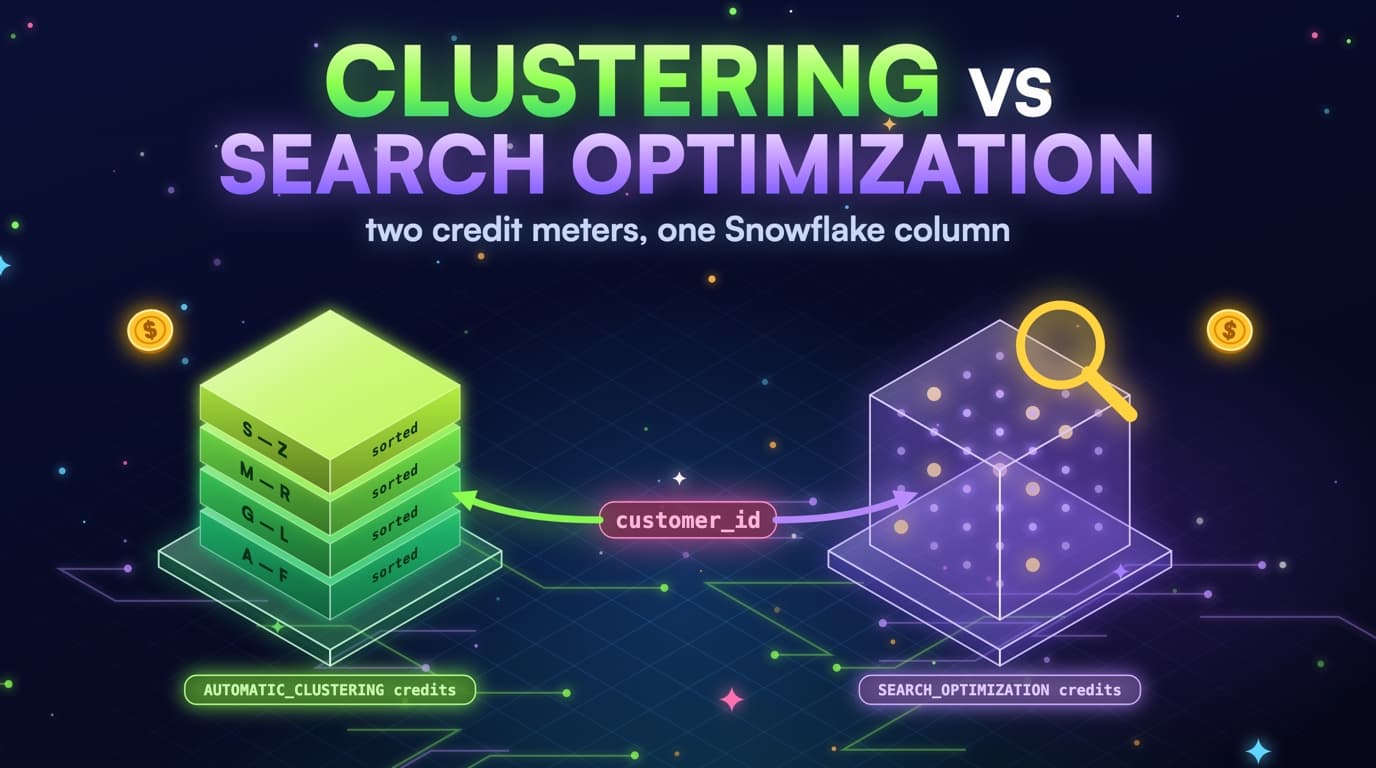
Sum AUTOMATIC_CLUSTERING_HISTORY.credits_used by table for 30 days, and sum SEARCH_OPTIMIZATION_HISTORY the same way. Tables at the top of both lists need the decision tree from the clustering-versus-SOS post: date-range jobs drop SOS, point-lookup jobs shouldn't be clustered on a UUID.
SELECT 'clustering' AS meter, schema_name, table_name, SUM(credits_used) AS credits
FROM snowflake.account_usage.automatic_clustering_history
WHERE start_time >= DATEADD(day, -30, CURRENT_TIMESTAMP())
GROUP BY 1, 2, 3
UNION ALL
SELECT 'search_optimization', schema_name, table_name, SUM(credits_used)
FROM snowflake.account_usage.search_optimization_history
WHERE start_time >= DATEADD(day, -30, CURRENT_TIMESTAMP())
GROUP BY 1, 2, 3
ORDER BY credits DESC;
SYSTEM$CLUSTERING_INFORMATION is a function call per table, still metadata rather than SELECT * FROM the table. Run it on the shortlist, not on every table in the account on day one.
If you can't run the function under your role, you can still rank clustering and SOS credits without depth. Depth explains the credits; the credits are what prove the bill.
Runbook step 4: Time Travel and Fail-safe versus last query
Rank TABLE_STORAGE_METRICS by time_travel_bytes plus failsafe_bytes, keeping is_transient, retained_for_clone_bytes, and deleted alongside. That's the storage backlog.
SELECT table_catalog, table_schema, table_name,
       is_transient,
       deleted,
       ROUND(active_bytes / POWER(1024, 4), 2) AS active_tb,
       ROUND(time_travel_bytes / POWER(1024, 4), 2) AS time_travel_tb,
       ROUND(failsafe_bytes / POWER(1024, 4), 2) AS failsafe_tb,
       ROUND(retained_for_clone_bytes / POWER(1024, 4), 2) AS clone_retained_tb
FROM snowflake.account_usage.table_storage_metrics
WHERE time_travel_bytes + failsafe_bytes + retained_for_clone_bytes > 0
ORDER BY time_travel_bytes + failsafe_bytes DESC
LIMIT 100;
Last query time comes from ACCESS_HISTORY if your edition and settings populate it; otherwise a conservative parse of QUERY_HISTORY is incomplete, and you shouldn't recommend DROP from it. You can still recommend retention = 1 on staging schemas and transient for scratch without last-query proof.
Deleted = TRUE rows that still have failsafe_bytes are the 'we dropped it and still pay' list. Note them, but don't UNDROP just to fix storage.
Convert bytes to TB for humans, and multiply by your storage list price only if finance wants a dollar figure, flagging it as list rather than contracted. Rank order matters more than the exact dollar here.
Attribution, lag, and the waitlist
Attribution is how a ranked list becomes tickets. QUERY_HISTORY.user_name, role_name, and the client application fields (when present) split dbt, Looker, JDBC, and worksheets apart. A prune miss owned by a service user named DBT_PROD is a models ticket; the same miss owned by five humans in worksheets is a training ticket. Don't send both to 'the platform team' and hope.
SELECT warehouse_name,
       user_name,
       COUNT(*) AS jobs,
       SUM(bytes_scanned) AS bytes_scanned,
       SUM(execution_time) / 1000 / 3600 AS execution_hours
FROM snowflake.account_usage.query_history
WHERE start_time >= DATEADD(day, -30, CURRENT_TIMESTAMP())
  AND execution_status = 'SUCCESS'
  AND bytes_scanned > 0
GROUP BY 1, 2
ORDER BY bytes_scanned DESC
LIMIT 100;
Fingerprint query_text: collapse literals, keep the FROM/JOIN/WHERE shape, and group credits and bytes. Forty explores become one finding. SlashPeak already does this on BigQuery, and the Snowflake scanner will do the same on ACCOUNT_USAGE.
ACCOUNT_USAGE lag and retention matter here: many views lag up to 45 minutes or a few hours, QUERY_HISTORY is typically in that band, and some storage views are daily. Data is kept for about a year. Fail soft on the trailing lag window (the idle query above subtracts six hours) rather than claiming 'zero queries today' at 9:05.
You now have four ranked lists in roughly the same units: idle credits, prune-miss estimated credits, clustering/SOS credits, and storage bytes. That's a 30-day Snowflake cost diagnosis without selecting a user table. Apply ALTERs in PRs and re-run the runbook next week.
The Snowflake scanner is coming soon. It will run this 30-day window for you, attach dollar estimates, and stop at recommendations. Join the waitlist from the Snowflake product page, and we'll email you when the first account can connect with IMPORTED PRIVILEGES and nothing more. Until then, this runbook is the product.
Fingerprinting collapses many queries into one finding
Hashing the literals and keeping the FROM, JOIN, and WHERE shape turns forty date-bound explores into a single ranked entry with summed bytes and credits.
Takeaways
- ACCOUNT_USAGE is enough: query history, warehouse credits, storage split, clustering, SOS. You never need SELECT on user databases.
- IMPORTED PRIVILEGES on SNOWFLAKE is the grant. Prove it with a failing SELECT on analytics.orders and a succeeding SELECT on QUERY_HISTORY.
- Run idle credits first, then prune misses, then clustering/SOS meters, then Time Travel. Four lists; don't mix the ALTERs.
- partitions_scanned versus partitions_total is the prune proof. WAREHOUSE_METERING_HISTORY without overlapping queries is the idle proof.
- Fail soft on lag, null partition stats, and tables you can't prove are unused. A conservative skip beats a bad DROP.
- Fingerprint query_text and attribute by user_name and warehouse so findings have owners.
- SlashPeak's Snowflake scanner will follow the same metadata-only contract as the BigQuery scanner, and it will be recommend-only.
- The scanner is coming soon. This runbook is usable today. Join the waitlist on the Snowflake product page.