Clustering is layout; Search Optimization is an index
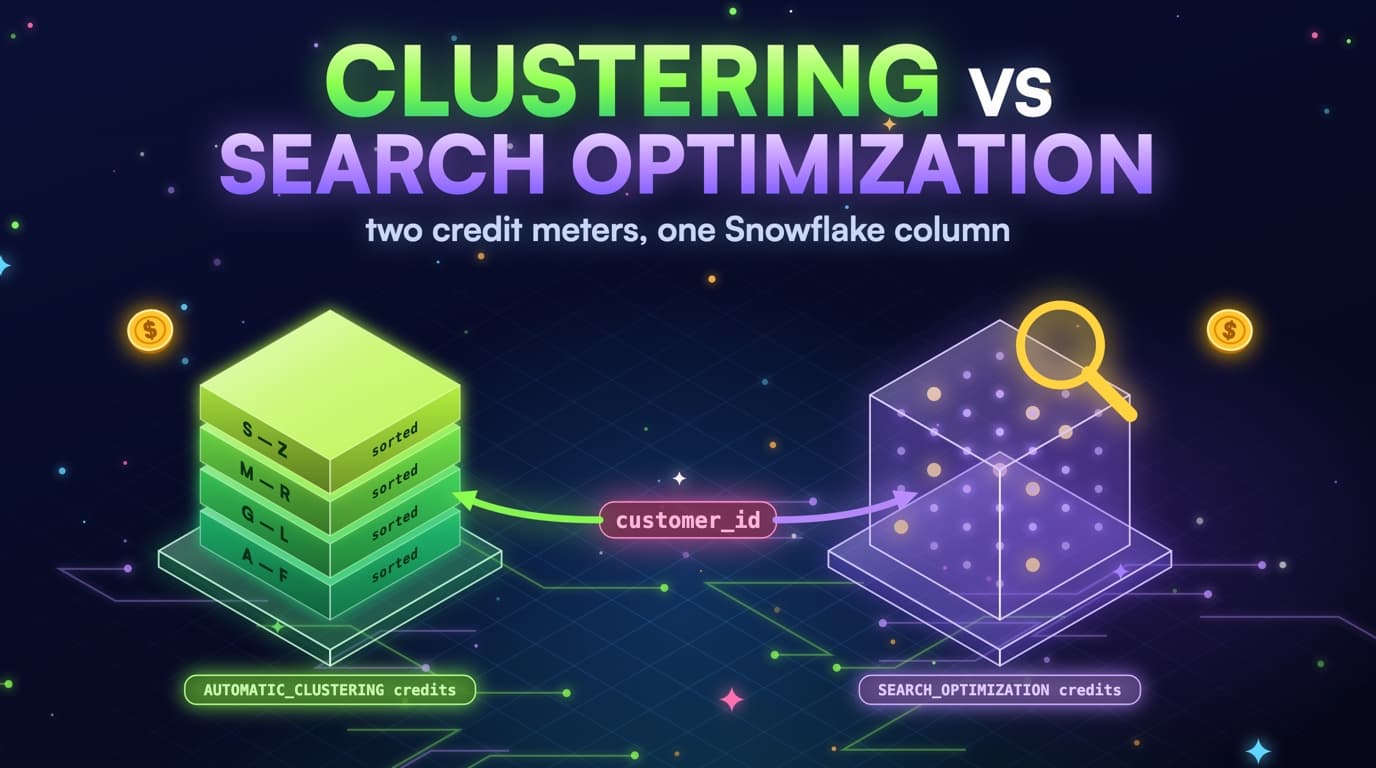
CLUSTER BY rewrites micro-partitions so min/max metadata can skip them on range filters. Search Optimization Service (SOS) maintains a persistent data structure for point lookups and variant/geo predicates that clustering will never prune. They aren't substitutes for each other.
A table filtered almost entirely on order_date BETWEEN needs clustering. A table filtered on order_id = :id with no date needs SOS, or a clustering key that's actually that id, which is usually the wrong move on a fact table.
Teams enable both because a vendor slide put 'search optimization' next to 'performance,' and because CLUSTER BY was already on the table from a migration checklist. The result is two credit streams, AUTOMATIC_CLUSTERING_HISTORY and SEARCH_OPTIMIZATION_HISTORY, plus warehouse credits that never dropped. Paying twice isn't a Snowflake bug; it's an access-path mismatch.
Clustering helps predicates the micro-partition min/max can use: equality and ranges on the leading clustered columns. SOS helps predicates clustering is bad at: equality on a high-cardinality column that isn't the leading cluster key, VARIANT field lookups, GEO predicates, and some substring cases depending on what you add. If your expensive jobs are date ranges on a fact, SOS is almost never the first move.
SOS isn't a btree you get for free with the table. You ADD SEARCH OPTIMIZATION, Snowflake builds a persistent structure, and you pay to maintain it as the table mutates. MERGE-heavy facts with SOS on columns that change will bill maintenance forever, which is fine for a point-lookup API and wrong for a Looker explore that filters the last 7 days.
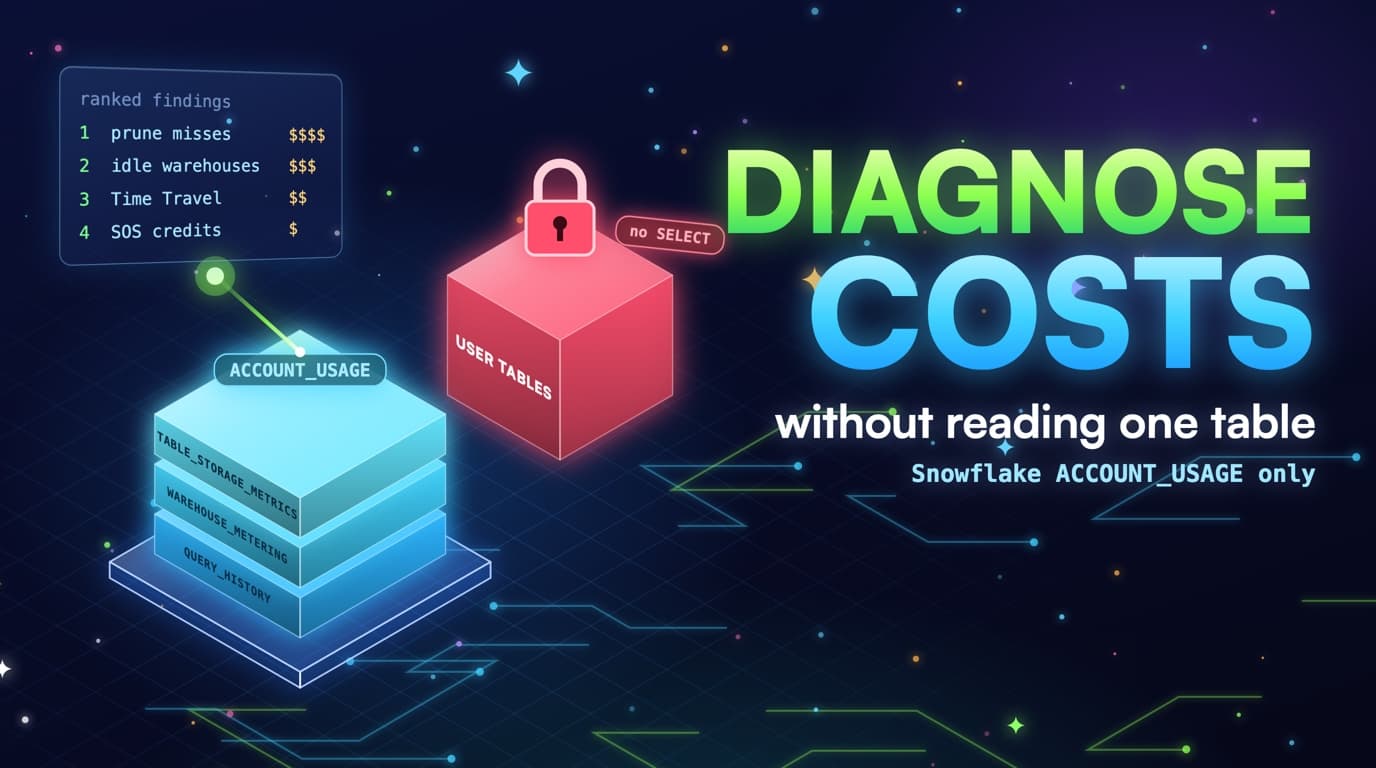
The decision comes from QUERY_HISTORY plus two credit views, not a platform-wide default. SlashPeak will rank prune misses, clustering debt, and SOS waste as three separate findings once the scanner ships, but you still pick the DDL. Recommend-only is the contract.
Two different access paths, two different meters
Clustering and Search Optimization solve different predicate shapes. Picking the wrong one for the shape just adds a second credit stream.
Depth that never converges is a credit leak
Automatic Clustering bills as it rewrites. If MERGE constantly lands rows out of order, depth stays high and clustering credits never stop. That's not Snowflake being expensive; it's a write pattern fighting the key.
SYSTEM$CLUSTERING_INFORMATION plus AUTOMATIC_CLUSTERING_HISTORY credits_used is the pair to watch. High depth, high clustering credits, and dashboards that still full-scan together mean the key doesn't match the WHERE clause.
SELECT table_name, SUM(credits_used) AS clustering_credits
FROM snowflake.account_usage.automatic_clustering_history
WHERE start_time >= DATEADD(day, -30, CURRENT_TIMESTAMP())
GROUP BY 1
ORDER BY 2 DESC;

SELECT SYSTEM$CLUSTERING_INFORMATION('analytics.orders', '(order_date)');
Read the JSON: average_depth, average_overlaps, total_partition_count, and total_constant_partition_count tell you whether reclustering is working. Depth stuck at 8 with rising partition count means a table growing faster than the service can pack, or a key with no locality. Depth falling while prune ratios stay bad points to a wrapper on the column instead; clustering is fine, the SQL just isn't using it.
Automatic Clustering can be enabled per table (auto_clustering_on in ACCOUNT_USAGE.TABLES). A table with clustering_key set and auto_clustering_on false has a key that will rot. A table with auto_clustering_on true and no clustering_key shouldn't happen; if it does, fix the DDL. Infer health from depth plus credits plus prune ratio together, not from the flag alone.
Reclustering bytes in AUTOMATIC_CLUSTERING_HISTORY (num_bytes_reclustered) should move with depth. Bytes rewritten every day with depth unchanged is churn: the service is rewriting the same chaos the MERGE just created. Fix the MERGE shape or change the key. Turning clustering off to save those credits without fixing prune just trades a small meter for the much larger warehouse meter.
Measure depth on the columns you actually filter, including when they aren't the current key. That's how you catch CLUSTER BY (ingest_id) on a table whose jobs filter event_date: the current key can look healthy on ingest_id and still be useless.
SOS on a table that already prunes
SEARCH OPTIMIZATION enabled on a date-range fact whose queries already prune is a second credit stream for work clustering already did. SEARCH_OPTIMIZATION_HISTORY is the meter to watch: disable SOS where QUERY_HISTORY shows range filters on the clustering key, and enable it where equality on a high-cardinality column still scans the table.
-- Range filters on order_date: clustering, not SOS
ALTER TABLE analytics.orders DROP SEARCH OPTIMIZATION;

-- Point lookups on event_id that never prune: consider SOS
ALTER TABLE analytics.events ADD SEARCH OPTIMIZATION ON EQUALITY(event_id);
ADD SEARCH OPTIMIZATION without ON EQUALITY(...) used to mean 'try to optimize everything,' which is how VARIANT-heavy facts grew a surprise bill. Prefer explicit ON EQUALITY(col), ON SUBSTRING(col), ON VARIANT(col), or GEO as documented for your account version, and maintain only the access paths the expensive jobs need.
SELECT schema_name, table_name,
       SUM(credits_used) AS sos_credits
FROM snowflake.account_usage.search_optimization_history
WHERE start_time >= DATEADD(day, -30, CURRENT_TIMESTAMP())
GROUP BY 1, 2
ORDER BY 3 DESC;
Build time isn't free. The first ADD can scan the table and bill; maintenance then tracks DML. A table clustered on order_date that also has SOS on order_date is two products maintaining one column. Drop SOS on that column and keep clustering.
Point-lookup tables, like an identity graph, a feature store keyed by user_id, or a CDC log keyed by event_id with no date in the WHERE, are the SOS candidates. Confirm with QUERY_HISTORY: equality on that column, partitions_scanned near partitions_total, bytes_scanned painful. Then ADD SEARCH OPTIMIZATION ON EQUALITY(event_id) and re-measure. If the prune ratio doesn't move, you have a different problem, such as a function wrapper or a column that isn't actually filtered.
Dropping SOS is the right move when SEARCH_OPTIMIZATION_HISTORY credits are material and the jobs already prune on the clustering key: ALTER TABLE ... DROP SEARCH OPTIMIZATION. Warehouse credits shouldn't get worse. If they do, you were wrong about the predicates, so add it back on the specific column.
Paying two meters for one column
Clustering already prunes range queries on order_date. Adding Search Optimization on the same column bills a second meter for work the layout is already doing.
Pick the access path the jobs actually run
Read QUERY_HISTORY predicates (from query text fingerprints, not table contents), clustering depth, and SOS credits together, and you get one ranked list: prune miss, clustering that never converges, SOS nobody needed. You apply the DDL.
A useful working rule: if the expensive predicate is a range on a time column, cluster that column and fix wrappers. If it's equality on a high-cardinality id with no useful time bound, consider SOS on that id. If it's both date and id, cluster the date and only add SOS if skip-inside-the-day is still a full-day scan after depth is healthy.
VARIANT and GEO are the exceptions clustering won't save, since min/max on a VARIANT column doesn't skip the way a DATE does. If the job is WHERE payload:user_id = ... and it's expensive, SOS ON VARIANT or flattening user_id into a real column and clustering or SOS-ing that column are the options. Flattening is usually easier to reason about.
Don't enable SOS account-wide with a script, and don't cluster every table because a linter said so. Both services bill in proportion to how much they fight your writes. Small dimensions need neither.
SlashPeak won't ADD SEARCH OPTIMIZATION or CLUSTER BY for you. The scanner is coming soon: metadata only, IMPORTED PRIVILEGES on SNOWFLAKE, never SELECT on user tables, recommend-only. The ranked list is the product; the DDL is yours.
How Automatic Clustering actually bills
Automatic Clustering is a serverless credit meter. It rewrites micro-partitions in the background toward the CLUSTER BY expression, so you pay credits_used in AUTOMATIC_CLUSTERING_HISTORY rather than warehouse credits on ANALYTICS_XL, unless you're running manual reclustering on a warehouse.
Manual reclustering (ALTER TABLE ... RECLUSTER) is legacy for a reason: it consumes the warehouse you run it on and encourages treating clustering as set-and-forget. Leave the service on for tables that need it and watch the meter instead.
Credits scale with how much data is out of order and how often it lands. A daily 40 GB load already in order_date sequence is cheap to absorb. An hourly MERGE touching 5% of an 8 TB heap at random is expensive every hour. The clustering service is just showing you the real cost of that write path.
SELECT DATE_TRUNC('day', start_time) AS day,
       schema_name,
       table_name,
       SUM(credits_used) AS credits,
       SUM(num_bytes_reclustered) AS bytes_reclustered
FROM snowflake.account_usage.automatic_clustering_history
WHERE start_time >= DATEADD(day, -30, CURRENT_TIMESTAMP())
GROUP BY 1, 2, 3
ORDER BY 1 DESC, 4 DESC;
There's no prize for zero clustering credits. A healthy table has small, spiky reclustering after loads and depth that settles; a sick table has a flat, high credit line and depth that never settles. Budget for the healthy case and investigate the sick one.
ACCOUNT_USAGE lag applies here too. Don't panic-disable clustering because yesterday's credits haven't shown up as a depth change in this morning's JSON. Give it a week before drawing conclusions.
When a unique id as clustering key is a bad SOS substitute
Clustering on order_id because 'that's what we look up' gives you min/max ranges that look like random UUIDs or a monotone sequence. A monotone sequence doesn't help a date dashboard, and a UUID doesn't help anything: every partition's min/max covers a useless range for equality lookups of a single id, so you still read many partitions.
SOS on EQUALITY(order_id) is the product Snowflake actually sells for that access path. Clustering on order_id instead just pays Automatic Clustering to reshuffle a fact table into an order nobody range-scans, and point lookups still suffer if depth is high.
-- Table CLUSTER BY (order_id)  -- UUID, high depth
SELECT *
FROM analytics.orders
WHERE order_id = 'f3c2…';
-- Min/max metadata will not skip like a btree. This is an SOS shape.

-- After proving the jobs: SOS, and cluster the date for the dashboards
ALTER TABLE analytics.orders CLUSTER BY (order_date);
ALTER TABLE analytics.orders ADD SEARCH OPTIMIZATION ON EQUALITY(order_id);
If the workload is genuinely mixed, some jobs ranging on date and some point-looking-up an id, cluster the date and add SOS on the id only after you've proven the point lookups are expensive in QUERY_HISTORY. Mixed workloads are fine; guessing at both keys is not.
Primary keys in Snowflake are informational and don't create an index. CLUSTER BY (pk) isn't 'doing the PK properly'; it's picking a layout, and that layout should come from the jobs, not the schema diagram.
A UUID clustering key does not skip like SOS does
Min/max on a UUID or monotone id covers a useless range for a single equality lookup. Search Optimization is the access path Snowflake actually built for that shape.
VARIANT, GEO, and predicates clustering will never prune
Micro-partition min/max on a VARIANT column isn't a JSON index. WHERE payload:account_id = 8821 will typically scan the table unless you have SOS on that variant path or a flattened typed column with clustering or SOS.
ALTER TABLE analytics.events ADD COLUMN account_id NUMBER
  AS (payload:account_id::NUMBER);

-- Then cluster or SOS the real column, not the VARIANT
ALTER TABLE analytics.events CLUSTER BY (event_date, account_id);
-- or: ALTER TABLE analytics.events ADD SEARCH OPTIMIZATION ON EQUALITY(account_id);
GEO predicates (ST_INTERSECTS and friends) are the same story: clustering on a GEOGRAPHY column isn't Search Optimization for geo. If those jobs show up high in bytes_scanned, use the SOS geo features your edition supports, or extract a cheaper predicate, such as a bounding box as numbers or a geohash as text, and cluster that instead.
Substring and LIKE '%foo%' won't prune clustering either. SOS ON SUBSTRING can help with some of those, but a real extracted column is still easier to operate. Don't buy SOS because one Looker dimension uses CONTAINS; change the dimension instead.
Flatten first when you can. A stored ACCOUNT_ID column you cluster or SOS is visible in TABLES/COLUMNS, in query_text, and in the depth JSON. A VARIANT path is a treasure hunt by comparison, and cost optimization prefers boring columns.
Flatten before you cluster or add SOS
Micro-partition min/max cannot skip a VARIANT path. Extracting a typed column makes the predicate something clustering or SOS can actually use.
A decision tree you can run this week
For each of the top tables by warehouse credits attributable to scans, list the dominant predicates from query_text and classify them as range-on-time, equality-on-id, variant/geo, or wrapper-on-time.
Wrapper-on-time: fix SQL and views, leave SOS alone, and re-measure the prune ratio.
Range-on-time: set CLUSTER BY to that time column plus at most one equality column, enable Automatic Clustering, and watch depth and clustering credits for a week. If jobs still full-scan, you missed a wrapper somewhere.
Equality-on-id without a useful time bound: SOS ON EQUALITY(id), not CLUSTER BY (id) on a large fact. Re-measure partitions_scanned afterward.
Variant/geo: flatten if you can, or SOS on the specific path if you can't. Never ADD SEARCH OPTIMIZATION with no ON clause as a platform default.
If SEARCH_OPTIMIZATION_HISTORY and AUTOMATIC_CLUSTERING_HISTORY are both high for the same table and QUERY_HISTORY is date ranges, drop SOS. If both are high and QUERY_HISTORY is point lookups on a heap with no useful clustering, drop the clustering key and keep SOS. Paying both without a genuinely mixed workload is the finding SlashPeak will call SOS waste or clustering debt, not storage.
WITH c AS (
  SELECT schema_name, table_name, SUM(credits_used) AS clustering_credits
  FROM snowflake.account_usage.automatic_clustering_history
  WHERE start_time >= DATEADD(day, -30, CURRENT_TIMESTAMP())
  GROUP BY 1, 2
),
s AS (
  SELECT schema_name, table_name, SUM(credits_used) AS sos_credits
  FROM snowflake.account_usage.search_optimization_history
  WHERE start_time >= DATEADD(day, -30, CURRENT_TIMESTAMP())
  GROUP BY 1, 2
)
SELECT COALESCE(c.schema_name, s.schema_name) AS schema_name,
       COALESCE(c.table_name, s.table_name) AS table_name,
       c.clustering_credits,
       s.sos_credits
FROM c
FULL OUTER JOIN s
  ON s.schema_name = c.schema_name AND s.table_name = c.table_name
WHERE ZEROIFNULL(c.clustering_credits) > 0
  AND ZEROIFNULL(s.sos_credits) > 0
ORDER BY ZEROIFNULL(c.clustering_credits) + ZEROIFNULL(s.sos_credits) DESC;- Range on time: clustering, naked predicate, then wait for depth.
- Point lookup on id: SOS on that column, not CLUSTER BY (uuid).
- Both meters on a date-range fact: drop SOS first.
- You apply the DDL. Nothing in ACCOUNT_USAGE will ALTER TABLE for you.
Takeaways
- Clustering rewrites partitions for range prune. SOS is a separate product for point lookups. Don't enable both by default.
- Depth that never drops while clustering credits keep burning means the key doesn't match the filters, or writes are fighting the key.
- SOS on a table whose jobs already prune on the clustering key is a second bill for work the layout already did.
- CLUSTER BY (unique id) isn't an index and is usually a poor SOS substitute on a fact table.
- VARIANT and GEO predicates need flattening or SOS. Micro-partition min/max won't save them.
- Measure with SYSTEM$CLUSTERING_INFORMATION, AUTOMATIC_CLUSTERING_HISTORY, SEARCH_OPTIMIZATION_HISTORY, and QUERY_HISTORY prune ratios together.
- SlashPeak will rank prune misses, clustering debt, and SOS waste as three separate findings, not one storage score.
- Scanner coming soon: IMPORTED PRIVILEGES only, never SELECT on user tables, recommend-only. You apply CLUSTER BY and ADD/DROP SEARCH OPTIMIZATION.