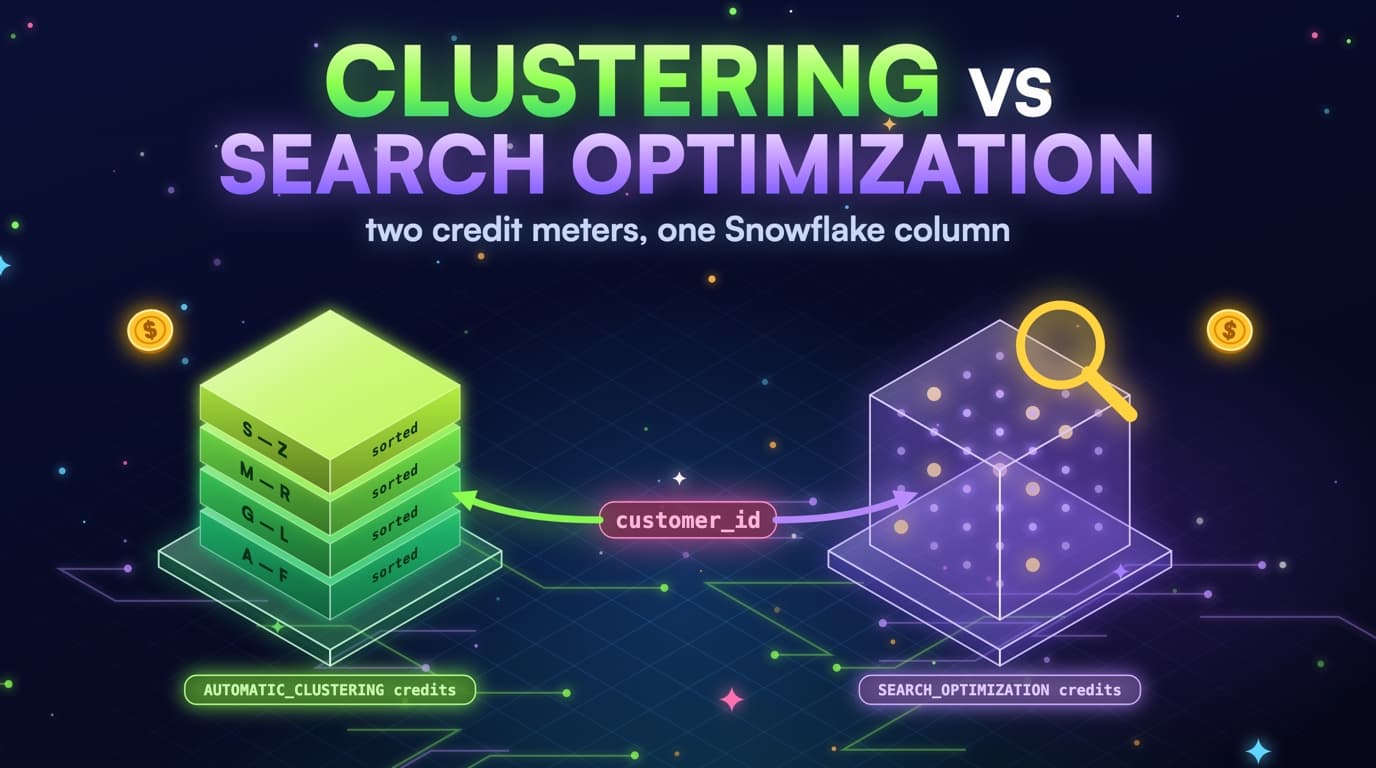
Why this is almost always the biggest Snowflake line item
Snowflake bills warehouse credits while a query runs, and scan time is what keeps an XL warehouse awake. An 8 TB orders table clustered on ORDER_DATE, queried 40 times a day with a predicate the micro-partition metadata can't use, sits in a full scan for minutes at a stretch: at 16 credits per hour for an XL, that's close to three credits per query, and forty runs a day is roughly a hundred credits a day before queueing or the auto-suspend tail. That's a five-figure monthly line before anyone looks at Time Travel or Search Optimization.
Teams usually find this the way BigQuery teams find a missing partition filter: a dashboard that 'filters to today' still runs for 11 minutes, QUERY_HISTORY.BYTES_SCANNED is close to the table size, and someone says 'but we clustered it.' They did. The predicate never used the key.
SELECT customer_id, SUM(amount)
FROM analytics.orders
WHERE DATE(order_ts) = CURRENT_DATE();
-- Table is CLUSTER BY (order_date).
-- DATE(order_ts) is not the clustering column, so pruning
-- cannot skip micro-partitions. 8 TB of partitions are read.
Clustering is a layout decision, not an index: Snowflake writes data into micro-partitions of roughly 50 to 500 MB uncompressed with min/max metadata per column, and a CLUSTER BY key tells Automatic Clustering how to keep ranges on the leading column tight. It doesn't create Hive-style directories, and it doesn't make DATE(order_ts) prunable. If the WHERE clause never compares the clustering column in a form the metadata can use, every partition gets read.
That's why prune misses belong at the top of a Snowflake cost backlog, not a 'table design' parking lot: idle warehouses and Fail-safe storage are real, but usually smaller than an 8 TB fact scanned in full every morning. Rank by credits attributable to bytes pruning should have skipped, then fix the SQL and the key; nothing auto-rewrites the dashboard. ACCOUNT_USAGE already has the evidence with no SELECT needed: QUERY_HISTORY carries bytes_scanned, partitions_scanned, partitions_total, warehouse_name, user_name, and query_text, while TABLE_STORAGE_METRICS, TABLES, and SYSTEM$CLUSTERING_INFORMATION cover size, keys, and whether ranges stay tight.
What micro-partition pruning actually skips
Each micro-partition stores min/max for every column. A predicate directly on the clustering key, such as order_date = CURRENT_DATE() or order_date BETWEEN :a AND :b, lets Snowflake skip partitions whose range can't match; a function on that column, a filter on a later clustering column without the leading one, or a filter on an unrelated timestamp, reads everything. Natural clustering from insert order sometimes helps even without CLUSTER BY, but don't count on it after UPDATE, MERGE, or reclustering that's fallen behind.
SELECT customer_id, SUM(amount)
FROM analytics.orders
WHERE order_date BETWEEN :start_date AND :end_date
  AND status = 'paid';
-- Micro-partition metadata skips ranges outside [start_date, end_date].
-- If skip-inside-the-day matters, put status as the second clustering column.
Pruning is a metadata comparison, not a btree seek: Snowflake checks the min and max on the filtered column and asks whether any row in that partition could qualify. If order_date on a partition runs from 2024-01-01 to 2026-08-01 because the table is poorly clustered, a filter for today still has to read it; if that partition's range is a single day, today's filter skips every other day. Depth and overlap measure whether those ranges are honest.
Equality and closed ranges on the leading clustering column, with no function wrapping it, are the most reliable prunable shape; a join that pushes a date predicate onto the fact can prune, while one that only matches on order_id won't. Snowflake actually keeps min/max metadata on every column, not only the leading clustering column, so a naked filter on the second clustering column can still skip partitions where that column's range doesn't match, just less reliably than the leading column, since the table isn't primarily sorted by it. CAST, DATE(), TO_DATE(), or CONVERT_TIMEZONE applied to the column itself are the shapes that reliably block pruning, in every Looker explore and dbt incremental that 'looks filtered.'
-- 1) Function wrapping the clustering column
WHERE DATE(order_date) = CURRENT_DATE()

-- 2) Filter on a correlated timestamp
WHERE order_ts >= DATEADD(day, -1, CURRENT_TIMESTAMP())

-- 3) Function wrapping the second clustering column too
WHERE UPPER(status) = 'PAID'   -- CLUSTER BY (order_date, status)
-- A naked "WHERE status = 'paid'" can still prune some partitions;
-- wrapping it in a function blocks that metadata just like order_date.

-- 4) OR'd with a predicate that can't be range-checked
WHERE order_date = CURRENT_DATE() OR priority_flag = TRUE
-- The OR forces every partition that could satisfy either side to be read.
Partial prune is the usual case, not the exception: even a perfect predicate still reads poorly clustered partitions and any micro-partitions Automatic Clustering hasn't rewritten yet. QUERY_HISTORY.PARTITIONS_SCANNED versus PARTITIONS_TOTAL is the ratio to watch; a table scanning 78,000 of 80,000 partitions is a prune miss even if the SQL mentions order_date. Snowflake can also prune on non-clustered columns when their min/max happens to be selective, but treating CLUSTER BY as optional because 'Snowflake prunes anyway' is how an 8 TB fact stays an 8 TB scan after the first month of MERGE.
How Snowflake decides which micro-partitions to read
Pruning happens in the cloud services layer, before the warehouse reads any data. Only partitions whose min/max range could match the predicate reach the warehouse.
- Prunable: equality and tight ranges on the leading clustering column, with no function wrapping it.
- Not prunable: DATE(col), CAST, or CONVERT_TIMEZONE wrapping the column itself, or an OR against a predicate that can't be range-checked.
- Still prunes, just less reliably: a naked filter on the second clustering column, since per-column min/max exists on every column, not only the leading key.
- Partial: even a perfect predicate still reads poorly clustered partitions until depth catches up.
Clustering depth is a second table you did not mean to keep
INSERT, COPY, and MERGE append micro-partitions that aren't yet in clustering-key order, and until Automatic Clustering rewrites them, every 'pruned' query still reads the poorly clustered percentage in full. SYSTEM$CLUSTERING_INFORMATION is the meter for this: a table whose average depth stays above roughly 3 on the columns dashboards actually filter has a clustering key in name only. Search Optimization Service is a separate product with its own credit meter and doesn't replace a clustering key that matches the WHERE clause.
SELECT SYSTEM$CLUSTERING_INFORMATION('analytics.orders', '(order_date)');

-- Optional: depth on the current CLUSTER BY expression
SELECT SYSTEM$CLUSTERING_INFORMATION('analytics.orders');

ALTER TABLE analytics.orders CLUSTER BY (order_date, status);
-- Automatic Clustering credits will rewrite partitions.
-- Confirm depth drops on the next ACCOUNT_USAGE window.
Average depth of 1 means each distinct clustering-key value lives in about one micro-partition. Depth of 8 means today's date is smeared across eight partitions whose min/max all overlap 'today,' so a filter for today opens eight times the partitions it should. High overlap (partitions sharing a range) plus high depth is a second, hidden copy of the table: bytes that exist only because the layout hasn't caught up with the writes.
Automatic Clustering bills as it rewrites. AUTOMATIC_CLUSTERING_HISTORY.CREDITS_USED on a table that never shows depth dropping is a credit leak, not a feature working as intended. The usual cause is a write pattern that lands out of order faster than reclustering can catch up: MERGE that rewrites random rows, COPY from unsorted files, or a clustering key that's a unique id, so every insert is new and the service has nothing to pack.
SELECT schema_name, table_name,
       SUM(credits_used) AS clustering_credits,
       SUM(num_bytes_reclustered) AS bytes_rewritten
FROM snowflake.account_usage.automatic_clustering_history
WHERE start_time >= DATEADD(day, -30, CURRENT_TIMESTAMP())
GROUP BY 1, 2
ORDER BY 3 DESC;
Avoid clustering on a unique id just because it's the primary key, or a boolean or three-value status as the leading column; min/max on a monotonically unique column won't skip what a date filter would have. Put the column the expensive jobs filter first, and add a second only if skip-inside-the-day shows up in QUERY_HISTORY once the first key is healthy. Measure depth on the expression you actually filter, not the key you wish you had: if dashboards filter order_date and the table is CLUSTER BY (customer_id), check (order_date) anyway. That's a key-mismatch finding, not a sign clustering is broken.
The clustering depth cycle
Automatic Clustering is a background rewrite loop, not a one-time sort. If writes land out of order faster than it rewrites, depth stays high and credits keep billing without the loop ever completing.
A clustering lifecycle, not a one-time DDL
Create the table with CLUSTER BY (order_date, customer_id) if those are the filters, load in date order when you can, and watch Automatic Clustering credits, since a table that never converges is paying to reshuffle forever. Avoid clustering on a unique id just because it's the PK: min/max on a monotonically unique column won't skip what a date filter would have. Match the key to the WHERE clause of the jobs that actually run, the same way BigQuery clustering should match filter columns.
Skipping any of these steps is how CLUSTER BY becomes folklore: create or ALTER the key to the columns QUERY_HISTORY actually filters, load in key order when you control the files (COPY from date-partitioned stages is clustering you get for free), let Automatic Clustering catch the delta and budget its credits as a cost of doing business, then re-measure depth and partitions_scanned a few days later. If depth is still high and prune ratios haven't moved, the key is wrong or the writes are fighting it.
Turning Automatic Clustering off to save credits on a table that still full-scans is backwards: you save the reclustering meter and keep the larger warehouse meter. Turning it on for every table is backwards too; cluster only the tables whose expensive jobs need prune. Writes create a poorly ordered region, a background service rewrites it, and until that finishes, prune doesn't happen. Read AUTOMATIC_CLUSTERING_HISTORY next to QUERY_HISTORY so you see the reclustering spend and the prune it bought side by side.
SlashPeak won't run ALTER TABLE for you. The Snowflake scanner is coming soon and is recommend-only: a ranked finding, a dollar estimate, and the DDL you apply. Today the only SlashPeak path that writes is Cognis AI DBA on BigQuery: opt-in, a separate operator key, and owner approval before anything applies. The grant here is IMPORTED PRIVILEGES on SNOWFLAKE, never SELECT on analytics.orders.
Prove the prune miss from QUERY_HISTORY
Grepping for DATE(order_ts) will find some bugs and miss the expensive ones that filter the wrong timestamp, join without a date predicate, or go through a wrapping view. QUERY_HISTORY is the billed truth: filter to the last 30 days, bytes_scanned above a floor that matters, and partitions_total greater than zero so you can compute a prune ratio.
SELECT warehouse_name,
       user_name,
       bytes_scanned,
       partitions_scanned,
       partitions_total,
       DIV0(partitions_scanned, partitions_total) AS prune_ratio,
       execution_time / 1000 AS execution_seconds,
       LEFT(query_text, 200) AS query_head
FROM snowflake.account_usage.query_history
WHERE start_time >= DATEADD(day, -30, CURRENT_TIMESTAMP())
  AND execution_status = 'SUCCESS'
  AND bytes_scanned > POWER(1024, 4)          -- > 1 TB
  AND partitions_total > 0
  AND DIV0(partitions_scanned, partitions_total) > 0.80
ORDER BY bytes_scanned DESC
LIMIT 100;
partitions_scanned / NULLIF(partitions_total, 0) near 1.0 on a clustered table is the finding. Pair it with bytes_scanned near TABLE_STORAGE_METRICS.ACTIVE_BYTES when you can attribute the scan. Attribution from query_text is messy, but ACCESS_HISTORY and the objects listed in QUERY_HISTORY are enough to rank, still without SELECT on user tables.
Warehouse time converts the ratio into credits: for prune misses, EXECUTION_TIME times the warehouse size in credits per hour is a fair estimate of what the job cost to run. Sum it for matching fingerprints over 30 days and you have a monthly run-rate, which is the number that belongs on the ticket, not 'the query is slow.'
WITH size_credits AS (
  SELECT column1 AS warehouse_size, column2 AS credits_per_hour
  FROM VALUES
    ('X-Small', 1), ('Small', 2), ('Medium', 4), ('Large', 8),
    ('X-Large', 16), ('2X-Large', 32), ('3X-Large', 64), ('4X-Large', 128)
)
SELECT q.warehouse_name,
       q.warehouse_size,
       COUNT(*) AS jobs,
       SUM(q.bytes_scanned) AS bytes_scanned,
       SUM(q.execution_time) / 1000 / 3600 * s.credits_per_hour AS est_credits
FROM snowflake.account_usage.query_history q
JOIN size_credits s ON s.warehouse_size = q.warehouse_size
WHERE q.start_time >= DATEADD(day, -30, CURRENT_TIMESTAMP())
  AND q.partitions_total > 0
  AND DIV0(q.partitions_scanned, q.partitions_total) > 0.80
GROUP BY 1, 2, s.credits_per_hour
ORDER BY est_credits DESC;
Fail soft when partitions_total is null or zero: older jobs, some statement types, and ACCOUNT_USAGE lag leave gaps, so skip those rows rather than guess they were full scans. A false positive wastes an engineer's afternoon, and the same conservative skip is what SlashPeak will use once the scanner ships. Fingerprint query text anyway: hash literals that look like emails, keep the shape, group by warehouse and user, so forty Looker explores with the same SELECT and a different date bind become one finding instead of forty.
Views and dashboards that hide the clustering column
The prune miss is often not in the fact table's documented CLUSTER BY. It's in a reporting view that projects ORDER_TS as ORDER_DAY via DATE(order_ts), a Looker dimension that wraps the timestamp, or a dbt model filtering on converted timezone instead of the date column Automatic Clustering maintains.
Snowflake can't prune through a function on the clustering column, even one that's deterministic and 'obviously today.' DATE(order_date), even when order_date is already a DATE, is still a function call, and CONVERT_TIMEZONE('UTC', order_ts)::DATE is a different column as far as min/max metadata is concerned. Put a real DATE column on the table, cluster on it, and filter that column with no wrapper.
-- Waste: reporting view wraps the timestamp
CREATE OR REPLACE VIEW analytics.orders_today AS
SELECT *
FROM analytics.orders
WHERE DATE(order_ts) = CURRENT_DATE();

-- Saved: filter the clustering column, no function
CREATE OR REPLACE VIEW analytics.orders_today AS
SELECT *
FROM analytics.orders
WHERE order_date = CURRENT_DATE();
Views make this invisible in the BI tool: the explore says 'Order date is today,' but the view body is WHERE DATE(order_ts) = CURRENT_DATE(). QUERY_HISTORY.query_text shows the view name, not the wrapper, unless you expand it. Read the view DDL from ACCOUNT_USAGE.VIEWS, still not a SELECT on user data, and you'll find the function; secure views and Looker persistent derived tables carry the same bug with more YAML.
SELECT table_catalog, table_schema, table_name, view_definition
FROM snowflake.account_usage.views
WHERE deleted IS NULL
  AND (
    view_definition ILIKE '%DATE(order_ts)%'
    OR view_definition ILIKE '%TO_DATE(order_ts)%'
    OR view_definition ILIKE '%CONVERT_TIMEZONE%'
  )
ORDER BY table_schema, table_name;
Joins hide it the other way: a date spine joined ON spine.dt = DATE(orders.order_ts) is a full scan of orders, while joining ON spine.dt = orders.order_date isn't, since the fact scan is the cost, not the spine. Fix the consumer side first: expose the clustering column, filter it naked, stop wrapping. Only change CLUSTER BY afterward, if the naked filters land on a column the table doesn't cluster on.
Write patterns that fight Automatic Clustering
A correct clustering key still loses if every load lands random keys. COPY from unsorted JSON, MERGE on order_id with no date predicate, and Snowpipe micro-batching 10,000 files a day will keep depth high no matter how clean the ALTER TABLE looked in the PR.
MERGE is the Snowflake cousin of a BigQuery wholesale rewrite: if the MATCH predicate never includes the clustering column, Snowflake may read and rewrite micro-partitions a date-bounded merge would have skipped. Incremental dbt models merging on unique_key = order_id without incremental_predicates on order_date are the usual source; the source CTE is filtered to yesterday, but the target isn't.
MERGE INTO analytics.orders T
USING (
  SELECT * FROM staging.orders
  WHERE order_date >= DATEADD(day, -2, CURRENT_DATE())
) S
ON T.order_date = S.order_date
 AND T.order_id = S.order_id
WHEN MATCHED THEN UPDATE SET
  T.status = S.status,
  T.amount = S.amount
WHEN NOT MATCHED THEN INSERT ROW;
-- Include the clustering column in ON so target partitions can prune.
COPY can help or hurt: files already sorted by order_date land closer to clustered, while files shuffled by ingest time land as new overlapping partitions. COPY_HISTORY plus clustering depth over the following days shows the pattern without needing to SELECT the staged data. If depth jumps after every pipeline run, the load order is the bug.
SELECT table_schema_name AS schema_name,
       table_name,
       SUM(row_count) AS rows_loaded,
       SUM(file_size) AS bytes_loaded,
       COUNT(*) AS copy_jobs
FROM snowflake.account_usage.copy_history
WHERE last_load_time >= DATEADD(day, -30, CURRENT_TIMESTAMP())
GROUP BY 1, 2
ORDER BY bytes_loaded DESC NULLS LAST;
UPDATE and DELETE on a clustering key column force rewrites too: GDPR deletes on user_id against a table clustered by order_date will scatter, so stage the keys with a date bound you know and delete with both predicates for better, if imperfect, pruning. If clustering credits on one table dominate the account, look at the write path instead of adding keys; sometimes the right move is a daily partition-shaped table, since clustering can't save a table whose mutation pattern touches random rows across five years every hour.
Why the MERGE predicate decides what gets rewritten
Including the clustering column in the MERGE ON clause lets Snowflake prune which target partitions it even has to touch. Without it, a date-bounded source can still rewrite partitions across the whole table.
Match CLUSTER BY to the WHERE clauses that cost money
The clustering key is a QUERY_HISTORY decision, not an ERD decision: collect the predicates on the expensive jobs for that table and count which columns show up as naked equality or range filters. The winner is usually a date; the runner-up is a tenant, account, or status.
SELECT table_catalog, table_schema, table_name,
       clustering_key, auto_clustering_on, row_count, bytes
FROM snowflake.account_usage.tables
WHERE deleted IS NULL
  AND table_type = 'BASE TABLE'
  AND clustering_key IS NOT NULL
ORDER BY bytes DESC NULLS LAST;
Two columns is usually enough, three the exception; a six-column CLUSTER BY is how none of them stay well clustered. The leading column has to be the one jobs filter on without it being optional: CLUSTER BY (order_date, status) if jobs always filter order_date and sometimes status, or Search Optimization if jobs filter account_id with no date at all. Cardinality has to be useful too: a boolean does nothing, and a unique event_id makes Automatic Clustering reshuffle forever without helping a date dashboard. Medium-high cardinality with a time component (order_date, event_date, invoice_month), then a selective equality column, is the sweet spot.
Column names come from ACCOUNT_USAGE.COLUMNS and clustering keys from ACCOUNT_USAGE.TABLES, combined with query_text fingerprints, still with no SELECT on table contents. SlashPeak will run this join once the scanner ships; you can run it this afternoon.
-- Wrong: unique id as leading key
ALTER TABLE analytics.orders CLUSTER BY (order_id);

-- Right: date the dashboards filter, then a selective equality
ALTER TABLE analytics.orders CLUSTER BY (order_date, account_id);

-- Stop clustering when the table should not pay reclustering credits
ALTER TABLE analytics.scratch_load DROP CLUSTERING KEY;
After you ALTER CLUSTER BY, wait for Automatic Clustering to work and ACCOUNT_USAGE to catch up, then re-run the prune-ratio query. If partitions_scanned didn't drop, the key still doesn't match the WHERE clause, or a view is still wrapping the column. Don't add Search Optimization to paper over that; SOS is a different meter.
Choosing a clustering key from QUERY_HISTORY
The key comes from the predicates the expensive jobs actually filter on, not the ERD. A range on time clusters well; a bare equality on a unique id usually belongs to Search Optimization instead.
A one-week ranked fix list
Day one and two: run the prune-ratio query on 30 days of QUERY_HISTORY, take the top 20 jobs by bytes_scanned with prune_ratio above 0.8, and note warehouse, user, and whether the SQL wraps a date. For each table those jobs hit, read clustering_key and SYSTEM$CLUSTERING_INFORMATION on the filter column, and split the list into wrap-the-column (a SQL or view fix), wrong key (ALTER CLUSTER BY), and depth that never converges (write path or Automatic Clustering). analytics.orders stays untouched throughout.
SELECT t.table_schema, t.table_name,
       t.clustering_key,
       t.auto_clustering_on,
       t.bytes,
       t.row_count
FROM snowflake.account_usage.tables t
WHERE t.deleted IS NULL
  AND t.table_schema = 'ANALYTICS'
  AND t.table_name IN ('ORDERS', 'EVENTS', 'PAYMENTS')
ORDER BY t.bytes DESC NULLS LAST;
Day three: ship the SQL and view fixes first, since they're cheaper than reclustering and prove prune without waiting on a background service. Re-run the same fingerprints; a drop in bytes_scanned means you were right, and no drop means a key or depth problem remains.
Day four through six: ALTER CLUSTER BY on tables whose naked filters don't match the key and budget Automatic Clustering credits for it, without clustering every table or enabling Search Optimization while you're in there. Then look at MERGE and COPY on tables whose depth didn't move: add the clustering column to MERGE ON, sort staged files when you can, and stop GDPR deletes with no date bound.
Day seven: re-measure prune ratio, clustering credits, and warehouse credits, and put the before/after on the ticket. Join the SlashPeak Snowflake waitlist if you want this ranked automatically next time: IMPORTED PRIVILEGES only, recommend-only, coming soon. Until then, this run is yours to apply.
- Fix wrappers first. They are the cheapest prune wins and they do not wait on Automatic Clustering.
- Then match CLUSTER BY to naked filters on the jobs that actually scan terabytes.
- Then fix MERGE/COPY so depth can drop. Do not buy SOS to hide a date-range prune miss.
- SlashPeak will rank this from ACCOUNT_USAGE when the scanner ships. You apply the DDL.
Takeaways
- Micro-partition metadata skips ranges when the leading clustering column is compared without a function. DATE(order_ts) forces a full scan.
- Poorly clustered partitions sit outside those maps until Automatic Clustering rewrites them. Depth is the hidden second copy of the table.
- QUERY_HISTORY.PARTITIONS_SCANNED versus PARTITIONS_TOTAL is the proof; a grep of SQL text is not.
- Views, Looker dimensions, and MERGE ON unique_id are how a documented CLUSTER BY never reaches storage.
- Match CLUSTER BY to the WHERE clauses that cost credits: two columns, date first, never a unique id just because it's the PK.
- Automatic Clustering credits that never stop mean the key or the write path is wrong, not that clustering doesn't work.
- SlashPeak's Snowflake scanner will use QUERY_HISTORY and clustering metadata instead of grepping SQL, the same way the BigQuery rules use job_stages.
- The scanner is coming soon, metadata-only (IMPORTED PRIVILEGES, never SELECT on user tables), and recommend-only. You apply the ALTER TABLE.